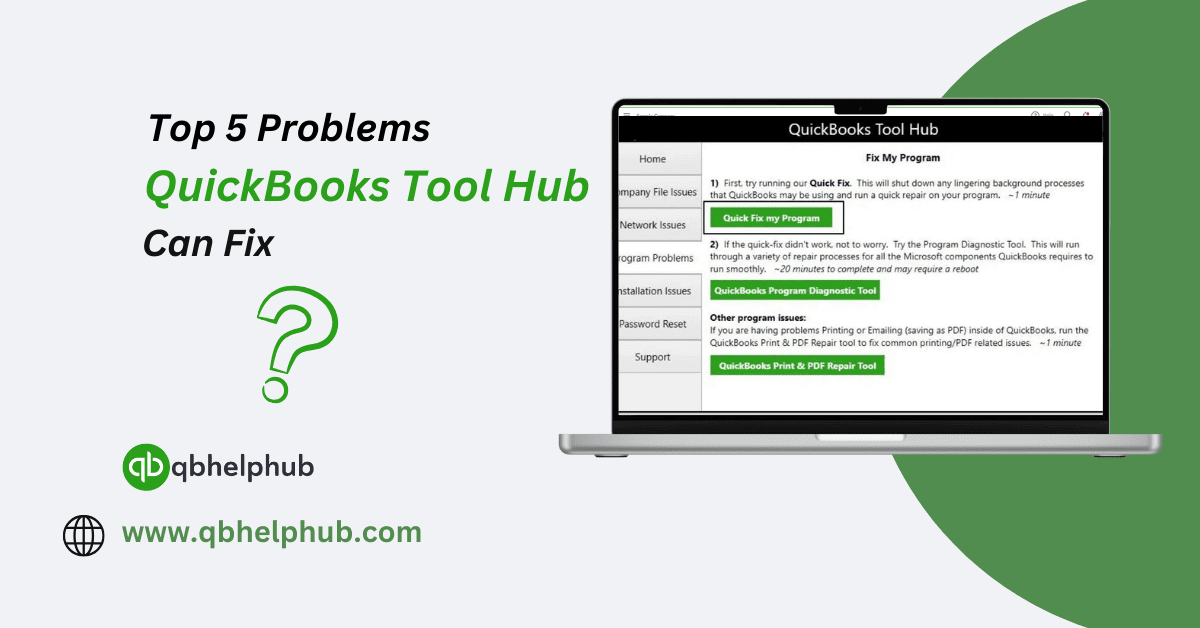
A Quick Look at What the Tool Hub Is?
Before diving into what it can fix, it’s helpful to know what the QuickBooks Tool Hub does. It’s an easy desktop application offered by Intuit, and it’s made specifically for QuickBooks Desktop users. The software groups several diagnostic tools into categories, making it easier to find the right fix.
Here’s what can be found inside:
- Company File Issues
- Network Issues
- Program Problems
- Installation Issues
- Password Reset
Read Also: Easy QuickBooks Online Login Guide
1. Company File Errors
This one tops the list for a reason, company file issues are incredibly common in QuickBooks, sometimes the file won’t open, on the other hand, an error code comes on the screen without much explanation.
Some common ones include:
- Errors from the -6000 series (like -6000, -77)
- Error 6150
- A file that just refuses to open
How the Quickbooks Tool Hub Helps:
Head over to the Company File Issues section, and it’ll prompt a launch of QuickBooks File Doctor. Moreover, that tool scans the file for damage and works to repair it, it also checks if the network setup is blocking the file from opening properly.
2. Network Issues in Multi-User Mode
Trying to run QuickBooks in multi-user mode? If the setup isn’t right, the network connection can break down. This leads to errors when trying to access the company file from another system.
Common messages that show up:
- H202 error
- H505 error
- QuickBooks can’t connect to the server
How Tool Hub Helps:
In the Network Issues tab, users can scan the setup and let the program find what’s wrong. It identifies where the connection is failing and then provides the fix. Moreover, this helps users get back into shared files without needing tech support.
Read Also: How to Use QuickBooks for Small Business Accounting?
3. QuickBooks Crashing or Freezing
Sometimes the program itself acts up refusing to open, crashing mid-task, or freezing out of nowhere. But that’s usually linked to problems with the software or something going on in the background.
What it might look like:
- QuickBooks opens and then shuts down right away
- The screen freezes when opening a company file
- Lagging or slow response time
How Tool Hub Helps:
This is where the Program Problems section comes into play, because it includes tools like Quick Fix my Program, which shuts down background processes and clears up memory issues. It also helps when the issue involves Microsoft components like .NET Framework, which QuickBooks relies on to function smoothly.
4. Installation Problems
Getting QuickBooks installed isn’t always smooth sailing. Errors can pop up when the installation files are missing, corrupted, or if other software is clashing with QuickBooks during the process.
Typical errors may include:
- Error 1603
- Error 1935
- QuickBooks installer freezing midway
How Tool Hub Helps:
Under the Installation Issues section, there’s a tool called QuickBooks Install Diagnostic Tool. It saves the hassle of having to reinstall the whole thing manually because this tool runs a scan, detects what’s going wrong, and repairs damaged Microsoft components.
Read Also: Fixing Error 15271 in QuickBooks Desktop
5. Forgotten or Lost Passwords
Not being able to log in can be a nightmare, especially when a forgotten admin password locks out access to the entire file.
What usually happens:
- The admin password no longer works
- Reset links don’t arrive
- There’s no other way to access the file
How Tool Hub Helps:
In the Password Reset section, QuickBooks Tool Hub connects to the automated password reset tool. Also, it guides users through the steps to create a new password using their company file details and email verification that means getting back in doesn’t have to take hours.
Final Thoughts
Dealing with errors in QuickBooks Desktop can slow things down and create unnecessary stress. But the QuickBooks Tool Hub offers a simple way to tackle these common problems no technical background needed. Also, it bundles all the right tools into one place and makes the process feel way less overwhelming.
In addition, for users managing finances and deadlines, having this tool ready to go can make a real difference. Whether it’s a file that won’t open, a crash during install, or a password that slipped the mind, the Tool Hub steps in to get things back on track.