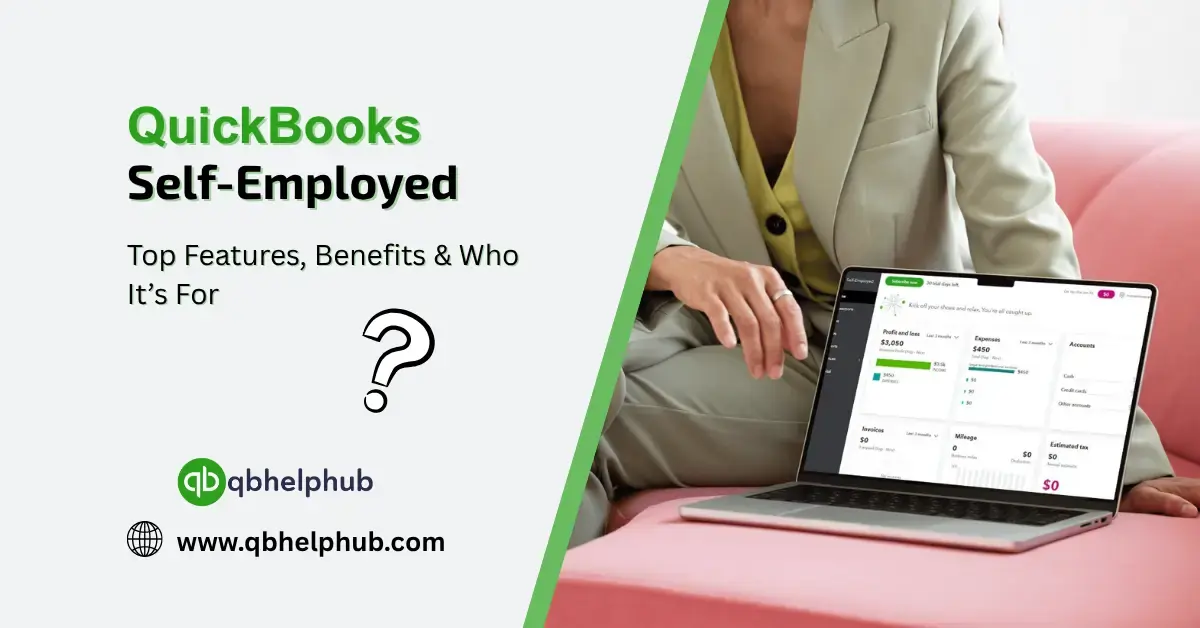
Managing finances as a self-employed individual isn’t always smooth. Managing invoices, mileage, tax estimates, and that never-ending pile of receipts. That’s exactly where QuickBooks Self-Employed steps in, it’s not just another accounting tool, it’s a helping hand built specifically for freelancers, contractors, and sole proprietors. This version of QuickBooks is tailored to keep your business and personal finances in order, without the usual stress.
What Makes QuickBooks Self-Employed Different
Unlike other versions of QuickBooks that are designed for full scale small businesses, QuickBooks Self-Employed trims down the bulk and delivers tools built around how self-employed folks actually work. It’s made with the gig economy in mind, users who don’t necessarily have employees, inventory, or complicated payroll needs.
You can easily link your bank accounts, separate personal and business transactions, and even auto-track mileage. It doesn’t pretend to be something it’s not, which is why many freelancers prefer it over the more complex QB options.
Read Also: QuickBooks Self-Employed 2025: Is It Right for You?
Top Features You’ll Actually Use
Now, let’s talk about what makes this tool worth the subscription fee. These aren’t just fancy extras, they’re tools that solve real pain points.
- Automatic Mileage Tracking
If you drive for work, this alone could justify signing up. The app tracks your mileage automatically (as long as location services are on), saving you hours and possibly hundreds in tax deductions. - Tax Estimates Done for You
This might be the single most appreciated feature. QuickBooks Self-Employed calculates your quarterly tax estimates, giving you a heads-up before Uncle Sam does. It’s not foolproof, but it’s close. - Receipt Snap and Match
Ever stuffed a crumpled receipt into your glove box and forgot about it? With this, you snap a pic and match it to the correct transaction. Done. - Separate Personal vs. Business
Let’s be real, most freelancers mix personal and business spending. QB Self-Employed makes it easy to mark expenses with a swipe.
Key Benefits for Freelancers and Contractors
Time is money, especially when you’re your own boss. Here’s what users love most:
- Less Stress During Tax Season
Since the software tracks deductions year-round, tax time is less of a panic moment. You already have your numbers lined up. - A Mobile App That Actually Works
The app isn’t clunky or stripped-down. You can do nearly everything from your phone, including tracking mileage, reviewing expenses, and sending invoices. - Affordable Pricing
Compared to other accounting tools, it’s on the lower end. Plus, there’s often a discount for the first few months.
Read Also: 10 QuickBooks Tips All Business Owners Must Implement in 2025
Who Should Use QuickBooks Self-Employed?
This version isn’t for everyone, and that’s okay. But if you fall into any of the categories below, it’s probably the right fit:
- Freelancers or independent contractors
- Uber, Lyft, or delivery drivers
- Online sellers or Etsy shop owners
- Consultants and creatives
- Anyone who files a Schedule C (Form 1040)
On the flip side, if you need to manage employees, inventory, or advanced financial reports, you’re better off with something like QuickBooks Online or QuickBooks Pro.
What It Doesn’t Do?
- You can’t track inventory
- No time tracking features
- It doesn’t support multi-user access
- You can’t create custom reports like in QB Online
For someone running a one-person show, these limitations aren’t a big deal. But it’s worth noting so you don’t feel misled.
Integrations and Syncing
QuickBooks Self-Employed works smoothly with TurboTax, which is a huge plus come tax time. You can also link it to bank accounts and credit cards for real-time transaction tracking. While it doesn’t support as many third-party apps as other QuickBooks products, it will at least cover the basics.
Is It Worth the Cost?
The value comes from time saved, fewer mistakes, and peace of mind. For many self-employed folks, even saving a couple of hours each month, or avoiding a missed tax payment, more than justifies the subscription cost. It might not do everything, but what it does, it does really well.
Read Also: How to Fix QuickBooks Company File Opening Issues
Conclusion
QuickBooks Self-Employed isn’t trying to be everything for everyone, and that’s what makes it so effective for the self-employed. It strips away unnecessary tools and focuses on exactly what freelancers need: simplicity, organization, and tax help. If you’re a solo worker tired of Excel spreadsheets and shoebox bookkeeping, this tool could be your new best friend. It’s affordable, intuitive, and designed for your kind of hustle.
Get In Touch with Us
If you are interested to know more about QuickBooks and basic troubleshooting steps, we are here to help you through our dedicated customer service team. Fill out the customer response form or feel free to reach to us at support@qbhelphub.com Our highly competent team is here to solve all your queries regarding QuickBooks.