Managing money as a small business owner means more than just tracking expenses. You need tools that actually help you stay organized and move quickly. That’s where QuickBooks Checking comes in. Built right into QuickBooks Online, this account is designed to work side-by-side with your books, without all the hassle of bouncing between banking apps and spreadsheets. But is it the right fit for your business? In this guide, we’ll walk through the features, costs, and real pros and cons so you can decide for yourself.
Read Also: QuickBooks Self-Employed: Top Features, Benefits & Who It’s For?
What Is QuickBooks Checking and How Does It Work?
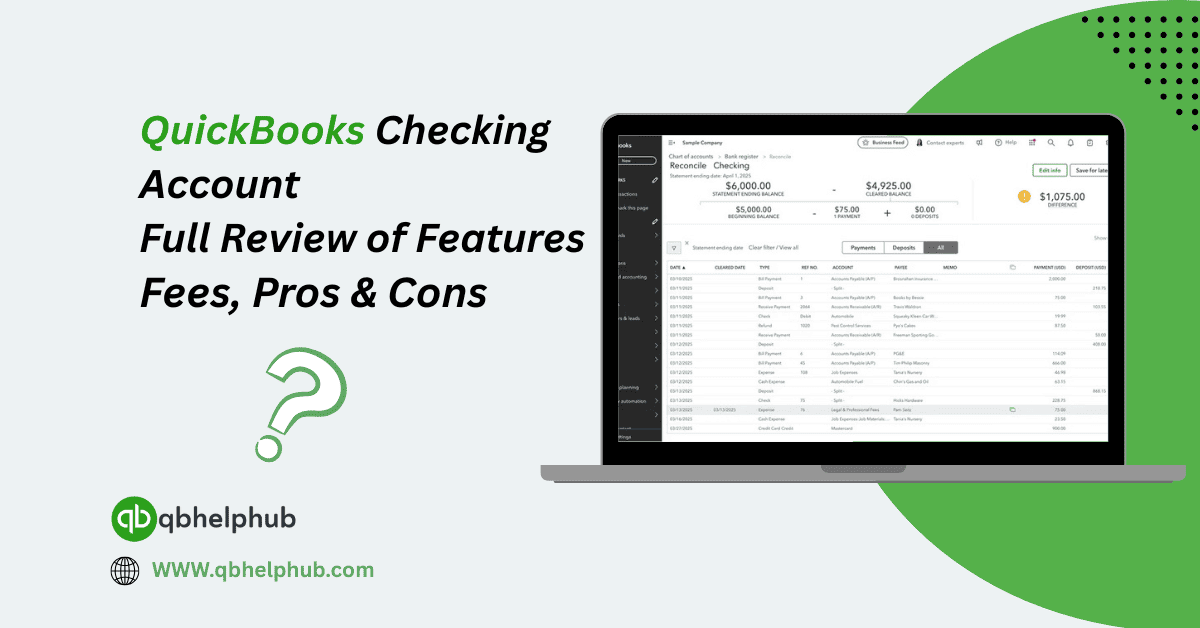
QuickBooks Checking is a business bank account that lives inside your QuickBooks Online dashboard. QuickBooks offers things through Green Dot Bank, but everything automatically integrates to QuickBooks. That means you can see your balance, move money, and track transactions without leaving the platform. You don’t need to download another app. You also don’t have to manually import transactions, it all syncs automatically. And since it’s part of the QuickBooks ecosystem, you can categorize expenses, manage cash flow, and run reports directly from one place.
Key Features That Make It Stand Out
QuickBooks Checking isn’t just a typical bank account with QuickBooks branding. It comes with features tailored specifically for business owners:
- Instant Deposit Access– When you receive customer payments through QuickBooks Payments, the funds can land in your QuickBooks Checking account almost immediately.
- Envelopes for Saving– You can create digital “envelopes” to set aside money for things like taxes, payroll, or emergencies. This helps you plan ahead without opening separate accounts.
What Are the Fees You Should Know About?
Here’s the good news, there’s no monthly fee, no minimum balance requirement, and no charge for basic account activity. That said, some optional services may carry a cost.
For example, instant deposits used to come with a small percentage fee, though QuickBooks has been rolling out more free instant transfer options over time. If you need to withdraw cash at an out-of-network ATM, you might also face third-party ATM charges.
The best part? Since you’re already using QuickBooks, you won’t pay extra to link your checking account to your accounting. It’s built-in, and there’s nothing to configure.
Read Also: How to Choose Best Version of QuickBooks for Small Businesses?
Pros of Using QuickBooks Checking
There’s a lot to like, especially if you’re already deep into the QuickBooks ecosystem.
- Zero Hassle Integration – No more exporting CSVs or matching transactions manually.
- Free to Use – Great for small businesses trying to keep overhead costs low.
- Faster Payments – Get paid faster when clients use QuickBooks Payments with instant deposit to your QuickBooks Checking.
Some Cons to Keep in Mind
Of course, it’s not perfect. Here are a few things that might not work for everyone:
- No Physical Branch Access – It’s 100% digital, so if you need teller services or frequent cash deposits, this might not be ideal.
- Limited Check Services – There’s no standard check book. While you can send digital payments and ACH transfers, writing paper checks isn’t part of the deal.
Who Should Use QuickBooks Checking?
If you’re a freelancer, solo entrepreneur, or small business already using QuickBooks Online, QuickBooks Checking is probably a smart move. It cuts down on busywork, helps you keep better financial records, and doesn’t cost anything to maintain.
However, if your business deals with large amounts of cash, needs wire transfers often, or prefers in-person banking, a traditional business account from a major bank may still be necessary, at least as a secondary option.
What About Support and Security?
Because it’s part of the QuickBooks family, you’ll get access to QuickBooks 24/7 support phone number if issues arise. You’re also protected under Green Dot Bank’s FDIC insurance for up to $250,000, which gives you peace of mind.
And if you’re using QuickBooks Payroll or QuickBooks Pro Payroll, having everything under one roof, from payroll services Intuit offers to bank account management, can really streamline your workflow.
Conclusion
QuickBooks Checking offers a no-fuss, fully integrated banking option for modern business owners. If you’re already relying on QuickBooks for accounting, adding this feature makes managing your finances smoother, faster, and more centralized. With no monthly fees, real-time syncing, and added tools like envelopes and instant deposits, it’s a practical choice, especially for smaller teams or solo operators. For businesses that don’t need traditional banking bells and whistles, QuickBooks Checking can serve as a surprisingly capable all-in-one money management hub.
Read Also: How to Record and Categorize Refunds in QuickBooks Desktop Easily?
Get In Touch with Us
If you are interested to know more about QuickBooks and basic troubleshooting steps, we are here to help you through our dedicated customer service team. Fill out the customer response form or feel free to reach to us at support@qbsolved.com Our highly competent team is here to solve all your queries regarding QuickBooks.