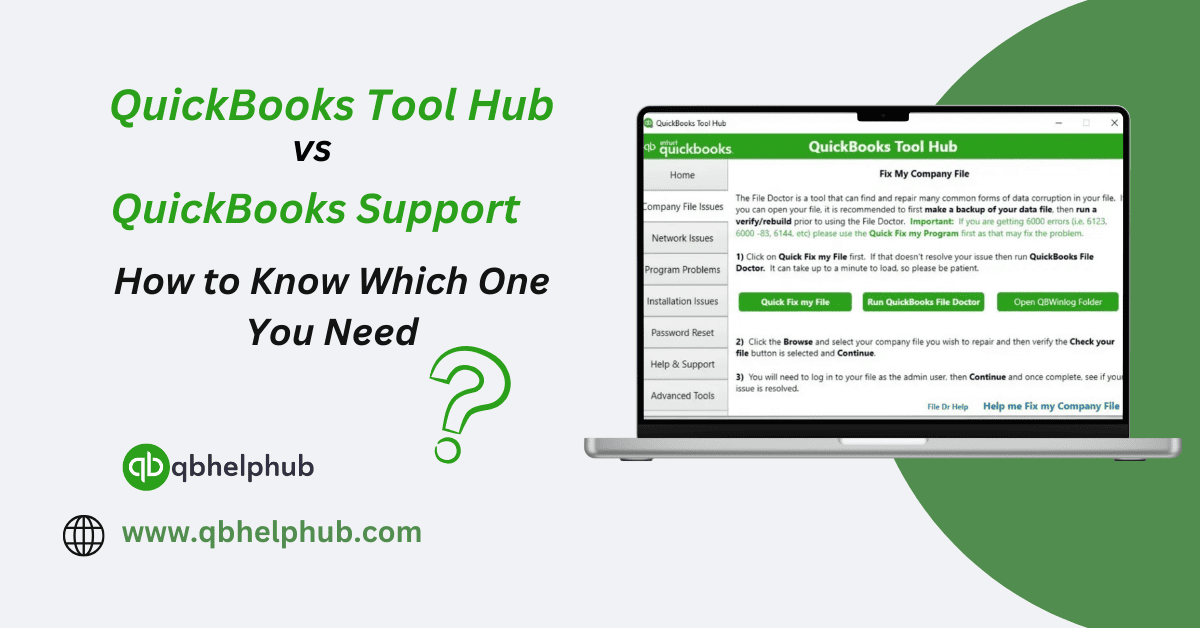
What’s QuickBooks Tool Hub?
Think of QuickBooks Tool Hub like a first-aid kit, but for your QuickBooks. It’s a little app that pulls together a bunch of helpful tools into one simple spot, all designed to fix the most common issues you’ll probably run into. Thing is, knowing which one to use and when can save you a ton of time and frustration. So, let’s break it down in a way that’s super easy to follow.
Once you install and open it, you’ll find quick fixes for things like:
Read Also: How to Use QuickBooks Tool Hub to Troubleshoot Common Issues?
- Company file errors
- Random crashes or freezing screens
- Installation problems
- Trouble connecting over your network
- Password resets when you’re locked out
And here’s the cherry on top, it’s completely free. Plus, installing it takes just a few minutes, even if you’re not super tech-savvy. If your problem feels like a technical interruption (and not a total disaster), Tool Hub should absolutely be your first move.
What About QuickBooks Support?
Now, QuickBooks Support is a whole different game. When the problem feels bigger, messier, or just too odd to solve with a simple tool, that’s when you call in the experts.
Support agents can step in and help you with things like:
- Billing or subscription headaches
- Serious company file damage
- Complicated technical messes that tools just can’t touch
- Getting use to features you’re not totally sure how to use
When Should You Turn to QuickBooks Tool Hub?
Knowing when to fire up the Tool Hub can seriously save your nerves and a whole lot of time. There are a few situations where it’s hands down the smartest move:
1. Minor Glitches and Freezes
If QuickBooks starts acting a little weird freezing up, crashing randomly, or just being plain stubborn the “Quick Fix My Program” tool inside the Hub usually straightens it out in no time.
2. Can’t Open Your Company File
Stuck trying to open your company file? Or maybe you’re staring down some strange file error? The File Doctor inside the Tool Hub can dive in and get things moving again.
Read Also: How to Transfer Data in QuickBooks? A Complete Migration Guide
3. Trouble Installing or Updating QuickBooks
If you’re hitting a wall installing or updating QuickBooks, don’t panic. Before you start pulling your hair out, try the Install Diagnostic Tool inside the Hub. It usually sorts out those irritating setup problems.
4. Forgot Your Password
Locked out because you forgot your admin password? Yeah, it happens. The Password Reset Tool inside the Hub makes getting back in way less painful than you’d expect.
Bottom line? If the problem feels like a common tech interruption, Tool Hub should be your first stop. It’s made exactly for this kind of things.
When’s It Time to Call QuickBooks Support?
Of course, not every issue can be patched up with a few clicks inside Tool Hub. Sometimes, you just need a human who knows their way around QuickBooks. Here’s when it’s better to reach out:
5. Billing or Subscription Messes
Can’t get into your account? Payment stuck? Something off about your subscription? Yeah, you’ll need to talk to Support for that one. Tools won’t help much there.
6. Major Data Damage
If your company file is so wrecked that even the File Doctor throws its hands up… it’s time to call in the big guns. Support’s data services team knows how to deal with serious file disasters.
7. Learning How to Use New Features
Setting up payroll? Wrestling with inventory management? Trying to figure out some shiny new feature? Instead of wasting hours on Google, it’s way easier (and less frustrating) to just ask a support agent to walk you through it.
8. When Tool Hub Just Doesn’t Cut It
If you’ve tried everything inside the Tool Hub and QuickBooks is still giving you attitude, don’t beat yourself up. Sometimes you just need real backup, and that’s exactly what Support is there for.
Read Also: 10 QuickBooks Tips All Business Owners Must Implement in 2025
Quick Recap: Should You Use Tool Hub or Talk to Support?
Look, deciding between QuickBooks Tool Hub and QuickBooks Support isn’t rocket science. But if you pick wrong, well, you’re going to waste a lot more time than you need to.
Here’s the easy way to remember it:
If QuickBooks is glitchy, if it won’t install right, if you’re locked out of your file, open the Tool Hub first. It’s fast, it’s free, and honestly, it handles the boring tech hiccups way better than you trying to fix it manually.
Now, if it’s something trickier, like billing problems, some crazy data damage, or you just can’t figure out a feature even after poking around for an hour, that’s when it’s smarter to skip the DIY and call in QuickBooks Support.
Wrapping Up
If QuickBooks is just doing its usual routine freezing, crashing, refusing to update, the Tool Hub is usually all you’ll need. It’s like having a tiny IT department right there on your computer.
But if things get messy, like serious billing issues, subscription problems, or your company file looks like it’s been through a storm, you’ll want real help. That’s where Support shines. Fixing problems quickly means you get back to running your business sooner and honestly, that’s way more important than fighting with accounting software all day.