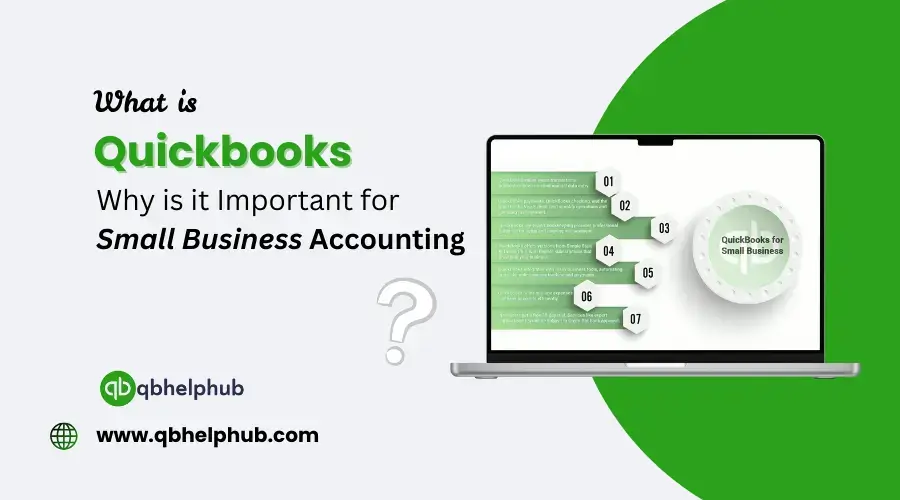
Managing a business is not a small task. There’s always something to track. Sales, expenses, payroll, invoices, taxes. So, everything piles up sometimes. That’s where QuickBooks comes in because, its handy and has made life easier for millions of small business owners. But what exactly is it? And more importantly, why does it matter so much? Especially for people trying to run a business without drowning in spreadsheets? Now, through this blog, let us understand what is QuickBooks and its importance for small business owners. Let’s walk through it, step by step in easy plain language.
Read Also: How to Export Data from QuickBooks Online?
Understanding What QuickBooks Actually Is
QuickBooks is accounting software. But it’s not just for accountants. It’s designed to help small businesses do all the financial things they need to do. Also, that to without needing to hire a full-time bookkeeper. Or CPA right away. Developed by Intuit, QuickBooks has become one of the most widely used tools. Especially in the world of small business finance.
It lets you:
- Record what’s coming in and going out. That is income and expenses.
- Send invoices to clients
- Track bills easily. As a result, you can easily do tasks without reminders.
- Resolve bank statements
- Generate reports. It can include Profit and Loss Reports.
- Manage taxes and payroll. Even inventory (in some versions)
QuickBooks helps you stay organized. Also helps you make smart decisions with your money. It does not matter if you’re a freelancer, a shop owner, or running a growing team. It has everything for everyone.
Types of QuickBooks You Should Know
Not all QuickBooks are the same. There are different versions and it depends. It is based on what kind of business you run. And how you prefer to work.
1. QuickBooks Online
This is cloud-based. You access it using your browser. Your data is stored online. Then, you can log in from anywhere. It’s great for businesses that need flexibility. Or the businesses that want their team to collaborate from different locations. Its remote and flexible.
2. QuickBooks Desktop
This is the older version you install on your computer. Some businesses still prefer this. That is because it’s fast and powerful. One more thing is that it doesn’t rely on internet access.
3. QuickBooks Self-Employed
Perfect for freelancers. Independent contractors. Gig workers. It focuses more on tracking income, mileage, and taxes.
4. QuickBooks Enterprise
This is a more advanced version. It is more useful for larger or complex businesses. It comes with deeper features for everything. These can include things like inventory, pricing rules, and role-based access.
Each type of QuickBooks serves a purpose. Choosing the right one depends on your business. It’s size, goals, and how comfortable you are with accounting tasks.
Why Small Businesses Need Accounting Software at All?
Now, maybe you’re wondering: “Can’t I just use Excel or Google Sheets?” You can. And many people start there. But spreadsheets are difficult to handle sometimes:
- If you get more clients. It can be more than a few regular clients.
- If you need to track money. Who owes you and who you need to give money.
- If you have recurring bills. Or employee payrolls.
- If you need to calculate quarterly taxes. Helps a lot during tax season.
- Or if you just want clean reports. Maybe for a loan.
Now, QuickBooks automates so much of that. And thus, no more manual data entry for every little transaction. No more guesswork. Just clearer numbers and better decisions.
Read Also: QuickBooks Solopreneurs: Features, Setup & Best Practices for Managing Your Finances
What QuickBooks Helps You Do Better. In almost Every Task.
Let us go through some of the real-world benefits.
1. Stay Organized. That too Without Drowning in Paper
QuickBooks helps to keep all your financial info in one spot. No need to shuffle between receipts, folders, sticky notes. Or even random Word docs. You just need to login. And it’s all there.
2. Save Time on Repetitive Tasks
Recurring invoices? Automated. Bank feeds? Synced. Payroll? Calculated and filed. It also cuts hours off your weekly admin time. And for small business owners, time really is money.
3. Make Smarter Money Decisions
QuickBooks gives you easy-to-read reports. You can see what’s coming in. And what’s going out, and what’s left. So, this helps you:
- Avoid cash flow problems
- Spot overspending
- Plan better for taxes or investments
4. Be Ready for Tax Season
No more searching for old receipts. Or redoing income by hand. Because, QuickBooks keeps track of deductible expenses and even sales tax. Well, almost everything your accountant will ask for.
Do you file your own taxes? QuickBooks integrates with a tax software like TurboTax. It helps to save even more time.
5. Look More Professional
Clients respect businesses that send proper invoices. So, with QuickBooks, you can create customized and branded invoices. That too with just simple payment links. No more emailing PDFs. Or writing “due next week” in the subject line.
How QuickBooks Handles the Big Stuff?
Invoicing
You can send invoices in just a few clicks. Add your logo or payment terms. Also, it can even help you set up recurring payments for regular clients. It also tracks overdue payments. And sends reminders automatically.
Expense Tracking
Link your bank accounts and credit cards easily. QuickBooks pulls in transactions and sorts them into categories. For example, Meals, Office Supplies, or Travel.
That way, you don’t forget anything. And as a result, tax time gets easier.
Payroll
A built-in payroll (depending on your plan) is really beneficial. Because with that, you can pay employees and handle taxes. You can also generate pay remains. All from inside QuickBooks. You also don’t need to handle multiple systems.
Reports
Want to know if you made money last month? Or how much you spent on marketing this quarter? Well, your problem is solved. Since, QuickBooks lets you run reports in seconds:
- Profit & Loss
- Balance Sheet
- Cash Flow
- Expense Breakdown
- Sales by Customer
Inventory
If you sell products, QuickBooks can help you track inventory. How much you have and what’s running low.
Mobile Access Makes a Difference
QuickBooks lets you manage finances while you’re on the go. Remotely. You can do that with QuickBooks Online or the mobile app.
- Snap photos of receipts
- Create invoices at job sites
- Check your income while traveling
- Approve payments. Even while waiting in line for coffee.
Read Also: Top Benefits of Monthly Bookkeeping for Small Businesses success
QuickBooks Grows with You
Start as a freelancer using Self-Employed. Move to Online when you add team members. Maybe one day, shift to Enterprise. You can do that when you’re managing complex inventory and locations. Moreover, QuickBooks does not keep you bound. It scales. With your scaling business.
Real Talk: What QuickBooks Doesn’t Do Well?
No tool is perfect. And while QuickBooks is strong, it does have weaknesses.
Some examples:
- The learning curve can be difficult. Especially for first timers.
- Pricing can go up. As it depends on how you add features.
- Customer support can be slow sometimes.
- Reports might feel limited sometimes. Particularly, for people used to advanced accounting tools.
Still, the pros far outweigh the cons. Or at least for most small businesses, it does.
Why So Many Small Business Owners Trust It
QuickBooks has been around for decades. It’s backed by Intuit, a company known for tools like TurboTax. Also, it’s trusted and used by millions of small businesses. Accountants, and bookkeepers worldwide.
There’s also a huge community and tons of online tutorials. It also has forums, and certified ProAdvisors. That can definitely help if you ever get stuck.
How to Know If It’s Right for You
Ask yourself:
- Are you tracking expenses manually?
- Do clients owe you money?
- Are tax deadlines stressful?
- Do you spend hours on financial tasks you hate?
If you said “yes” to even one. Then QuickBooks can probably help.
To Conclude
QuickBooks isn’t just accounting software. It’s a lifeline for small business owners. The ones who want to stay on top of their finances. From invoicing to tracking expenses to preparing for taxes, it simplifies everything. Thus, helping with the day-to-day routine of running a business. Whether you’re a brand new or growing fast, QuickBooks can save you a lot of time. It can reduce stress, and help you make smarter decisions. It keeps your numbers clean and your business organized.
Get in Touch with Us
If you are interested to know more about QuickBooks and basic troubleshooting steps, we are here to help you through our dedicated customer service team. Also, you can fill out the customer response form or feel free to reach to us at support@qbsolved.com Our highly competent team is here to solve all your queries regarding QuickBooks.
FAQs (Frequently Asked Questions)