When you’re flying solo in business, it’s not just about your product or service, you’ve also got to handle the books, chase down payments, file taxes, and somehow keep track of every dollar moving in and out. That’s a lot for one person. Luckily, QuickBooks Online makes that mountain of financial tasks a whole lot more manageable for solopreneurs like you.
Whether you’re freelancing full-time, launching a one-person consultancy, or building a creative brand from scratch, QuickBooks Online can streamline the way you manage money. Let’s unpack how this tool fits perfectly into a solopreneur’s workflow.
Read Also: Top Benefits of Monthly Bookkeeping for Small Businesses success
1. Why QuickBooks Is Built for the Solo Hustle
First off, QuickBooks Online doesn’t feel like it’s made for corporations, it feels personal. Everything from invoicing to tracking expenses is laid out so it actually makes sense, even if numbers aren’t your thing. You don’t need a finance degree to start this. It’s intuitive, fast, and does a lot of the thinking for you, which is ideal when you’re wearing every hat in your business.
2. Top Features Solopreneurs Actually Use
Some features in accounting software might sound impressive but people rarely use them. That’s not the case here. These are tools solopreneurs use regularly:
- Invoicing & Payments: Create custom invoices, add payment links, and track who owes you, then get notified when they pay.
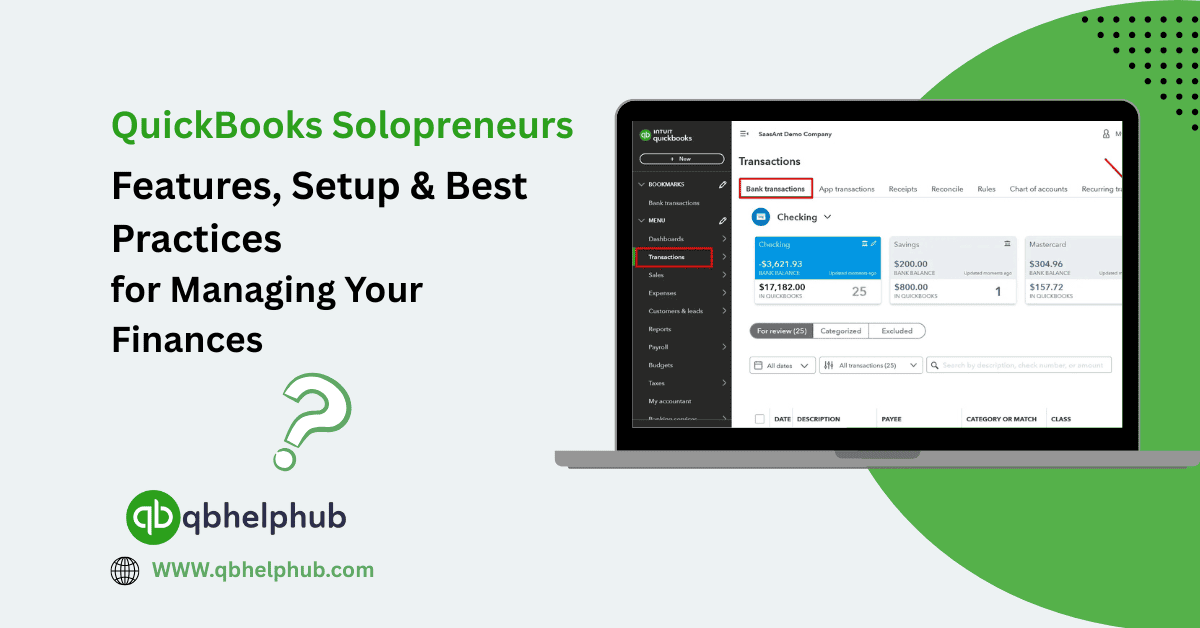
- Bank Feed Sync: Link your bank or credit card so every transaction flows right into QuickBooks without you lifting a finger.
- Automatic Expense Categorization: Save time by letting the system learn how to label your transactions.
- Tax-Ready Reports: Come tax time, everything’s sorted, profit and loss, deductions, income statements, and more.
- Mileage & Receipt Tracking: Use the mobile app to snap receipts or track mileage on the go. No more lost papers or spreadsheets.
3. Picking the Right Plan for Your Needs
QuickBooks offers a few different plans, but for solopreneurs, Simple Start or Essentials is usually plenty. If you don’t have employees and mostly need invoicing, payments, and expense tracking, Simple Start is your best bet. Essentials adds features like bill management and time tracking, which can help if your work is project-based or you outsource.
Read Also: Unlock the Power of QuickBooks Online Attachments: Organize Your Financial Documents Efficiently
4. Quick & Painless Setup
Setting up QuickBooks takes less time than most people expect. Here’s a quick rundown:
- Create an account and pick your plan.
- Link your business bank accounts and credit cards.
- Add your products or services (just basic info is enough to begin).
- Customize your invoice template with your logo and brand colours.
- Start entering past or current transactions you want to track.
That’s it. The system starts learning from your activity, so each week becomes smoother than the last.
5. Smart Habits for Managing Finances Solo
Using QuickBooks is one thing, but making it work for you is where the magic happens. Here are a few best practices:
- Schedule a Weekly Finance Hour: Block out 30 minutes on a Friday to check transactions, send invoices, and review your cash flow.
- Tag Your Expenses: Use custom tags to group transactions by client, project, or category, this makes reporting way easier.
- Reconcile Monthly: Match bank feed items to actual bank statements so you catch any errors or duplicates early.
- Don’t Mix Accounts: Use a separate bank account for your business, this keeps your books clean and stress levels low.
- Use the Mobile App: Stay on top of finances between client meetings, coffee runs, and deliveries.
6. When It’s Time to Get a Pro Involved
You can absolutely run your books yourself with QuickBooks, especially at the start. But it never hurts to bring in a bookkeeper or accountant a few times a year. They can clean up your reports, offer insights on where to cut costs or boost revenue, and make sure everything’s good before tax season hits.
7. Using QuickBooks to Plan for Growth
Solopreneurs don’t always stay solo. QuickBooks can grow with you. If you decide to hire a contractor or assistant, it can handle payroll. If you open a second income stream, you can add tracking for that too. The beauty is that you’re not locked into a system that caps your potential.
Read Also: How to Upload & Attach Receipts in QuickBooks Online – Step-by-Step
Conclusion
Running your own business is already a high-wire act. The last thing you need is clunky spreadsheets or confusing ledgers slowing you down. QuickBooks Online takes the mess out of your money and gives you a simple, reliable way to manage every dollar. As a solopreneur, having a tool that works as hard as you do? That’s a win.
Get In Touch with Us
If you are interested to know more about QuickBooks and basic troubleshooting steps, we are here to help you through our dedicated customer service team. Fill out the customer response form or feel free to reach to us at support@qbsolved.com Our highly competent team is here to solve all your queries regarding QuickBooks.