
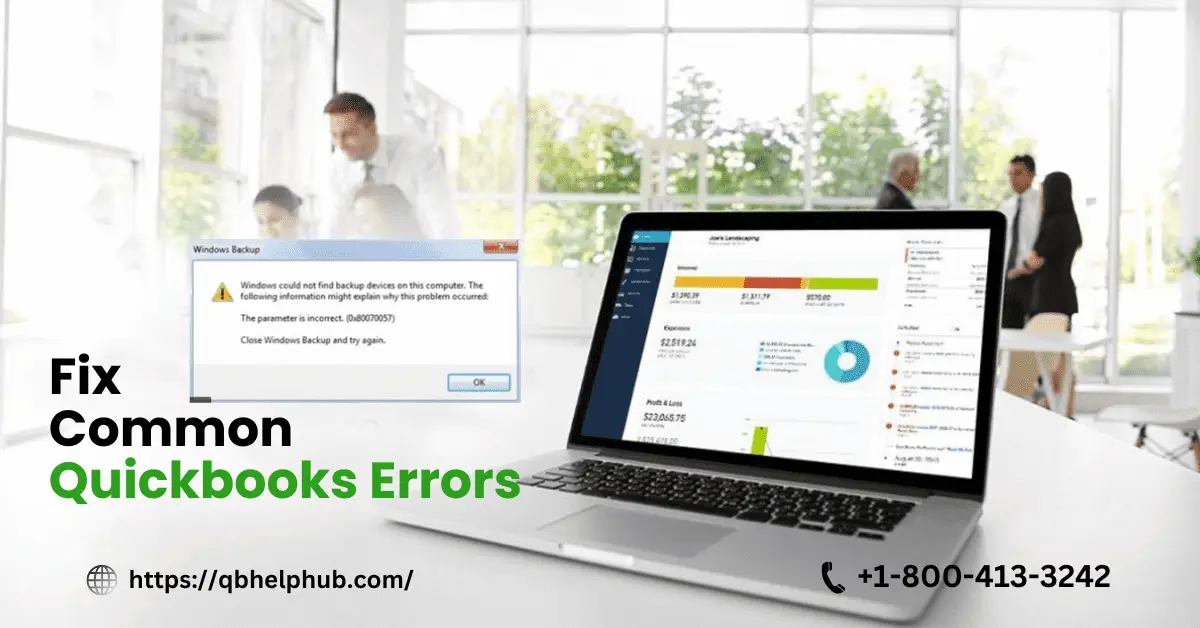
QuickBooks is a highly useful accounting management software. It benefits businesses of different verticals to manage their finances with ease. However, like any software, it may also run into errors sometimes. If you do not know the root cause of the problem, it can be challenging. In this regard, we have made this quick guide. It will highlight some common QuickBooks errors and their easy solutions. We’ve tried to cover common Quickbooks errors related to installation and data file errors. Use the step-by-step solutions provided in this article to feel more confident tackling these issues head-on. Let’s get started.
Read also: How to Fix QuickBooks Error 1603?
Common QuickBooks Errors and their Solutions
A. Installation Errors
Error during Installation
QuickBooks Error 1603: Fatal Error During Installation
You can face QuickBooks Error 1603 during the installation process. It can occur due to various reasons, such as a corrupted installation file or an obsolete operating system.
How to solve it?
- Download the latest version of QuickBooks Install Diagnostic Tool.
- Temporarily disable antivirus software.
- Install and run the tool.
- Diagnose the issue and fix as per the recommendation.
- Reinstall QuickBooks.
Note: Ensure that your Windows is updated to the latest version.
QuickBooks Error 1935: Error Due to Faulty Framework
Users face this error when installing QuickBooks if there is any issue with the Microsoft .NET Framework.
How to solve it?
- Check that your system has .NET Framework enabled.
- Now download and run the QuickBooks Install Diagnostic Tool.
- Restart your computer.
- Try to install QuickBooks again.
B. Update Quickbooks Errors
QuickBooks Error 12007: Update Error
If there is any issue with your network, QuickBooks may display Error 12007. Usually, it occurs when your network gets timeout or you have a poor internet connection.
How to solve it?
- Check your internet connection and settings.
- Make sure the firewall or antivirus is not restricting QuickBooks updates.
- Manually update QuickBooks to its latest version from the official website.
QuickBooks Error 15102: Failed to Reset Update
QuickBooks returns this error when there is an issue updating QuickBooks Desktop or payroll features.
How to solve it?
- Run QuickBooks as an administrator.
- Switch to single-user mode from the multi-user mode.
- Verify that the mapped file location is correct.
C. Data File Errors
QuickBooks Error – 6000, 83: Compilation Error
This error might occur if there is any problem with your hosting settings or if the file is being used by multiple users.
How to solve it?
- First, check the QuickBooks has been updated to its latest version.
- Check the hosting settings. Only, the hosting server should host the company file.
- Run QuickBooks File Doctor to identify the core issue.
- Fix the problem as suggested by the tool.
QuickBooks Error 6000, 77: Error with Company File
If your company file is stored in an incorrect location, this type of error will be displayed.
How to solve it?
- Move your company file to a secured local drive if it’s currently present in an external drive or hosted in the cloud.
- Now, use the QuicksBooks File Doctor application to repair the file.
Read also: Resolve QuickBooks Error H202 in 3 Simple Steps! (Guaranteed Fix)
D. Company File Issues
QuicksBooks Error 6147: Error During Restoring Backup File
Users typically face this error when trying to restore a company file from a backup.
How to solve it?
- First make sure that the backup file is not corrupted.
- Move the backup file from a network drive to a local drive.
- Take help of the QuicksBooks Auto Data Recovery option to protect your file during the backup.
QuickBooks Error- 6150, 1006: Unable to create a company file
If there is an error with the company file or installation, you may face error 6150 or 1006 during the process.
How to solve it?
- Check if your computer has been infected by malware.
- Restore a backup file.
- Reinstall the QuicksBooks application.
- Check if the problem has been resolved.
E. Bank Feed Problems
QuickBooks Error OL-301 or OL-393: Issues with Bank Feeds
These Quickbooks errors might occur when QuicksBooks fail to synchronise with your bank or download transactions.
How to solve it?
- Verify and update your bank login credentials.
- Deactivate and reactivate the bank feed of the compromised account.
- Check with your banking partner for technical issues (if any) from their end.
QuickBooks Error OL-222: Bank Server Issue
This error might occur when QuickBooks fails to communicate with your bank server.
How to solve it?
- First, ensure you are using the latest version of the QuickBooks.
- Check your internet and firewall settings.
- Update your bank details in QuickBooks.
F. Printing Issues
QuickBooks Error 20: Printer Not Activated
If your printer drivers are outdated or you’re using an incompatible driver, QuickBooks might return this error.
How to solve it?
- Update your printer driver.
- Run QuickBooks as an administrator.
- Reinstall QuickBooks if the problem still occurs.
QuickBooks Error 1722: Print and PDF Issues
This error might occur when there is an issue with your PDF converter or printer setup.
How to solve it?
- Freshly install Microsoft XPS Document Writer again.
- Update Adobe Reader to its latest version.
- Diagnose and fix additional issues with QuickBooks PDF & Print Repair tool.
G. H202 Error
QuickBooks Error H202: Multi-user Mode Issue
When QuickBooks can’t switch to multi-user mode, an H202 error shows up.
How to solve it?
- Make sure your hosting settings are properly configured.
- Your QuickBooks Database Server Manager should run on that hosting server.
- If it still shows the error, use the QuickBooks File Doctor to identify and fix the root cause.
H. Payroll Errors
QuickBooks Payroll Error PS077: Issues with Payroll Updates
If QuickBooks comes across an issue while downloading payroll updates, it returns a PS077 error.
How to solve it?
- Make sure your QuickBooks and Payroll subscriptions are active.
- Update your billing information.
- Download the payroll update manually from the QuickBooks website.
QuickBooks Payroll Error PS032: Invalid Payroll File
This error occurs when QuickBooks detects a corrupted or invalid payroll file.
How to solve it?
- Validate your payroll subscription again.
- Run the payroll update.
- Repair QuickBooks installation if the issue persists.
Reconciliation Errors
QuickBooks Error 3371: Could Not Initialize License Properties
This error occurs when QuickBooks fails to load the license data.
How to solve it?
- Delete the EntitlementDataStore.ecml file and re-register QuickBooks.
- Update your OS.
- Reinstall QuickBooks if the problem persists.
QuickBooks Reconciliation Discrepancies
This error occurs in QuickBooks when there is a mismatch between the balance statement in the application with the bank statements.
How to solve it?
- Review the reconciliation reports to identify the Quickbooks errors.
- Check if any manually input transactions have been altered.
- Use QuickBooks Reconciliation Discrepancy Report to identify and fix other challenges, if any.
Conclusion
Dealing with QuickBooks errors can be frustrating without prior experience. You also need the right knowledge and tools to resolve most issues quickly. In this regard, use the tips shared in this guide to your advantage to prevent many of these errors from occurring in the first place. If you still need assistance, do not hesitate to reach out to the QB Help Hub team. We are here to assist you 24/7.
Frequently Asked Questions
If your QuickBooks is repeatedly crashing, follow these steps in order. First, check the version of the software. It should be the latest one. Second, disable every single third-party application and try to run QuickBooks. This is to check if there is any incompatibility issue with 3rd party applications. Alternatively, check if your system qualifies the minimum technical requirements to support and run the software. If nothing works, use the QuickBooks Tool Hub to identify and fix the root cause.
You can use the QuickBooks File Doctor tool to diagnose the exact problem and fix QuickBooks Error 6000, and 77. However, before that, make sure to store your files in a local drive instead of any external or network drive.
Certain technical issues can restrict you to take printouts from QuickBooks. For instance, it could be due to outdated printer drivers or lack of admin access to run QuickBooks software. If nothing works, simply reinstalling QuickBooks again might undo the problem. Nevertheless, you can take the help of QuickBooks PDF & Print Repair tool to identify and fix the problem.
There could be various reasons but first, start from your hosting. Check if your hosting settings are configured properly and it is hosting QuickBooks Database Server Manager inside. If it is good to go, use the QuickBooks File Doctor tool to identify and fix the root problem with ease.
It can happen if there is any issue with loading the licence data. So, to fix this error, simply delete the EntitlementDataStore.ecml file and re-register QuickBooks. Make sure, the Windows is being updated while carrying out this process. If the problem still persists, reinstall QuickBooks to override the problem.
Where can I find reliable support for fixing QuickBooks errors quickly and effectively?
You’ve done an excellent job compiling common QuickBooks errors and their fixes in a simple manner. Troubleshooting can be frustrating, but your article makes it much more approachable!
This guide on “How to Fix Common QuickBooks Errors?” is a lifesaver! The detailed steps and clear explanations make troubleshooting easy. Partnering with QB Help Hub, a top-notch service provider, ensures that even the toughest issues are resolved quickly. I highly recommend both the blog and QB Help Hub!
QB Help Hub is fantastic for troubleshooting QuickBooks errors! Their expertise in resolving common issues quickly and effectively has saved us countless hours. Their clear instructions and responsive support are second to none. Highly recommend QB Help Hub for all your QuickBooks needs!
Thank you so much for your kind words! We’re thrilled to hear that QB Help Hub has been able to help you troubleshoot QuickBooks errors effectively. It’s wonderful to know that our expertise and support have saved you valuable time. We appreciate your recommendation and are always here to assist with any QuickBooks needs you may have. Don’t hesitate to reach out if you need further help!