Starting a business is not an easy task, there are customers to find, products to build, and bills to pay. With all that, bookkeeping can feel like a heavy chore. So, a good accounting system must make life easier, it should save time reduce mistakes and help you see where the money is going. For many new businesses, QuickBooks Online does that all perfectly.
QuickBooks Online is made for small teams and startups. It works on the cloud, which means you can use it from a laptop or phone. The best part is a person do not need to be an accounting expert be able to use it. The system walks you through common tasks connects to your bank, sends invoices and shows simple reports. That combo of ease and power is why many startups pick QuickBooks Online as their first accounting tool.
Read Also: 6 Key Benefits of QuickBooks Online and Why Businesses Prefer It
The Power of Cloud Accounting
QuickBooks Online is cloud-based, and that changes everything for a young business. With cloud software, you do not carry files on one computer. Your books are stored online and if your laptop breaks, the records do not disappear. You can work from home, from a cafe, or while traveling. This is handy for founders who are always on the move, and it also makes it easy to share access. Your accountant or bookkeeper can log in and help without sending files back and forth.
Strong Security and Data Backup
QuickBooks Online uses strong security systems. It backs up data automatically and keeps access controlled. For a startup, this reduces risk, you do not have to build your own backup plan. It also avoids the tension of software updates, and the provider keeps the system current. For many startups, that peace of mind is worth the subscription price.
Bank Feeds That Save Hours
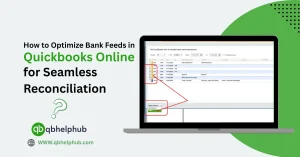
Bank feeds are one of QuickBooks Online’s biggest perks. You can connect your bank and credit card accounts. Transactions flow straight into the system so, that saves hours of data entry each month. Instead of copying numbers, you can review and categorize. QuickBooks learns from your choices and starts to suggest categories. Over time, this speeds reconciliation and reduces mistakes.
Fast and Professional Invoicing
Invoicing and getting paid are top priorities for startups. QuickBooks Online has polished invoicing tools. You can build a branded invoice, add payment links, and send it in seconds. Customers can pay by card or bank transfer. When payments come in, QuickBooks marks invoices as paid and updates books automatically. No one likes chasing late invoices and QuickBooks helps reduce that friction. That makes it easier to keep cash flowing.
Easy Expense Tracking
On the same note, expense tracking is very straightforward too. You can snap photos of receipts on your phone and attach them to transactions. This keeps records tidy and helps when tax time comes. For small teams, this feature cuts admin time and avoids a pile of receipts, that a lot of startups avoid.
Read Also: What is QuickBooks & Why is it Important for Small Business Accounting?
Clear and Useful Reporting
Reporting in QuickBooks Online is friendly and useful. Startups do not need pages of complicated financial statements every week. They need clear views of cash flow, profit and loss, and accounts receivable. So, QuickBooks Online makes that possible. The dashboard shows the health of the business at a glance. You can run simple reports that investors or lenders ask for. You can also build custom reports if your business has unique needs.
Payroll and Tax Made Simple
Payroll and taxes are two areas that are difficult to handle for many new founders. QuickBooks Online offers payroll add-ons that integrate well with the books. Payroll with integrated tax filing reduces errors. It calculates pay, withholds the right taxes, and can file payroll taxes on your behalf. For a small team, that saves huge time and reduces compliance risk.
Sales tax and VAT can also be handled inside QuickBooks. The system can track tax rates by region and apply them to sales. When tax season comes, you have a clearer set of records. For startups selling across states or countries, this automation is a real help. It reduces the need for manual spreadsheets and the chance of costly mistakes.
Integrations That Grow with You
One major strength of QuickBooks Online is its ecosystem. Thousands of apps are able to connect with it. These add-ons cover invoicing, time tracking, inventory, e-commerce platforms, payment processors, and more. If your startup needs a special tool, there is a good chance it plugs into QuickBooks. This lets you build something that fits your business without losing the books.
For example, if you run online sales, you can connect your store to QuickBooks. This way your orders flow into accounting automatically. If you use project-based billing, time-tracking apps can feed hours into invoices. This compatibility keeps data in one place and makes scaling easier. As a startup grows, you can add tools rather than rebuild your accounting setup.
Strong Support and Helpful Community
Support and accounting partnerships are important too. QuickBooks has a network of accountants and bookkeepers who know the platform well. Finding a QuickBooks-savvy accountant is easier than finding one for older software. That makes onboarding other people of your team much simpler.
Customer support from QuickBooks varies by plan, but online resources are vast. For a founder learning accounting basics, that community knowledge is valuable. Tutorials, step-by-step guides, and video help make common tasks easier. This reduces the learning curve for new users and beginners.
Affordable Pricing for Startups
Pricing and plans are built for small businesses. You pay a monthly fee, and you get hosting, updates, and security bundled in. For many startups, the monthly cost is less than hiring a part-time bookkeeper. The subscription model also lets you scale up as the business grows. You can start with a basic plan and upgrade when you need payroll or advanced features.
The cost can seem like a hurdle at first. But when you weigh time saved and fewer errors, the return often makes sense. Founders can use these saved hours into revenue-generating work instead of manual bookkeeping.
To Conclude
QuickBooks Online is a good fit for startups because it eases the tasks that new founders face. It also keeps records safe in the cloud and automates routine work like bank feeds and invoicing. Its reporting tools let you see cash flow and profit, which helps with smarter decisions. Payroll, sales tax, and integrations add further value to QuickBooks. This is way, the business can scale without rebuilding the accounting system. For new founders, QuickBooks is a partner that turns bookkeeping from a burden into a manageable part of running the company.
In short, QuickBooks Online delivers a strong mix of ease, power, and scale for startups. It reduces manual work, protects data in the cloud, and provides quick views of cash flow and profit. Also, it connects to banks, invoices customers, and helps manage payroll and taxes. It fits with many popular business tools and has a large community of accountants who know the work already. This combo is best for new founders trying to keep the books clean while they build the product.
Read Also: How to Export Data from QuickBooks Online?
Get in Touch with Us
If you are interested to know more about QuickBooks Online and basic quick fixes, we are here to help you through our dedicated customer service team. Fill out the customer response form or feel free to reach to us at support@qbhelphub.com Our highly competent team is here to solve all your queries regarding QuickBooks.
FAQs (Frequently Asked Questions)