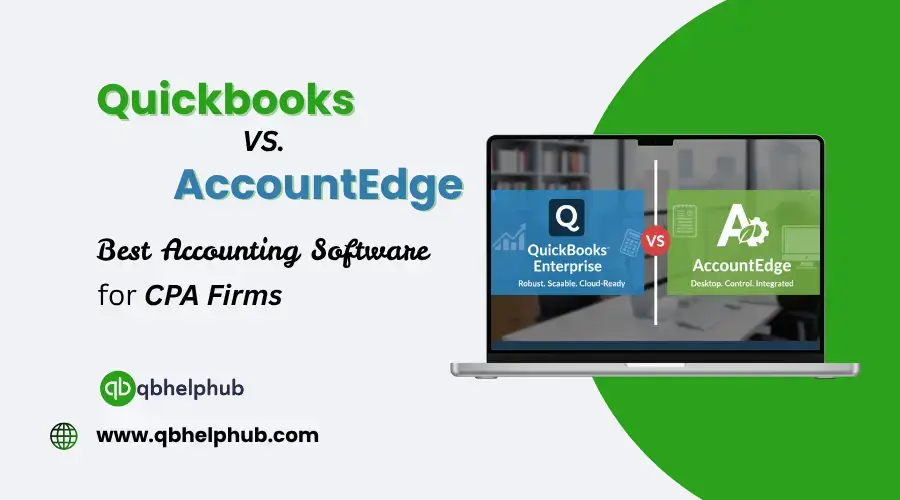
QuickBooks Enterprise and AccountEdge each have strengths and trade-offs. They need software that is robust, secure, and able to scale. Two competitors often come up: QuickBooks Enterprise and AccountEdge. Each of the software has its strengths and weaknesses. So, the better choice depends on how big your firm is, how complex your clients’ needs are, and how much control you want. Choosing accounting software as a CPA firm isn’t just about features. It’s also about support, scalability, how your clients work, and how clean your audits and compliance can be. Through this blog, let’s walk through their features, costs, pros, cons, and which firms should use which.
Read Also: What is QuickBooks & Why is it Important for Small Business Accounting?
What does QuickBooks Enterprise Offer?
QuickBooks Enterprise or QuickBooks Desktop Enterprise is a high-end version of QuickBooks. Hence, it is designed for more complex operations and supports many users, handles larger data volumes. It also adds deeper features like advanced inventory, reporting, and job costing.
- One of its advantages is industry-specific editions. You can also pick a version customized for manufacturing, wholesale, nonprofits, or professional services. It also comes with reports and configurations tailored to that industry.
- QuickBooks Enterprise also offers multi-user access (up to 40 users). It gives and robust user-permission controls, letting CPAs restrict certain users. So, this allows only CPA user to view or edit parts of the data.
- From the firm’s side, there is an Accountant Edition of Enterprise. This gives CPAs tools to access client files, batch corrections, and version control. Also, this way it becomes easier to manage many clients from one dashboard.
Challenges with QuickBooks Enterprise:
- It tends to be more expensive, not just the license cost, but also setup, training, and maintenance.
- The learning curve can be steeper for non-technical users.
- Because it’s a desktop or hosted solution, cloud-like access may require extra hosting. It may also need remote access setups.
- Upgrades and data migrations can also be heavier.
What AccountEdge Offers?
- It is an accounting solution for small-to-mid firms that want a solid core accounting tool. This comes handy without overpaying for enterprise features.
- It supports functions such as invoicing, expense tracking, payroll (optional add-on). It also has inventory, job costing, multi-currency, and departmental accounting.
- One of its big selling points is its simplicity and cost transparency. This is because its pricing starts at $20/month for a basic Pro license.
- It also offers desktop-first reliability, meaning less dependence on internet connectivity. Therefore, many users prefer this in environments where offline stability is critical.
For smaller CPA firms or those with simpler clients, AccountEdge can be enough. This is because it’s lighter, faster to deploy, lower-cost, and easier to manage.
Challenges with AccountEdge:
- It lacks the scale and advanced features of Enterprise (e.g. not as strong in large multi-user setups).
- Its third-party integrations are lesser in number.
- Cloud/web access is also limited; remote access often needs additional tools.
- As client needs grow (larger inventory, multiple entities), it may lack flexibility.
Read Also: How to Export Data from QuickBooks Online?
Side by Side Comparison
| Feature / Consideration | QuickBooks Enterprise | AccountEdge |
|---|---|---|
| Scalability / Users | Up to 40 users, strong permissions | Better for fewer users |
| Industry Editions / Customization | Specialized versions for sectors | More generic, less tailored |
| Reports & Analytics | Advanced reporting, custom report builder | Good built-in reports, fewer high-end options |
| Integrations / Ecosystem | Wide third-party app support | More limited ecosystem |
| Pricing / Total Cost | Higher setup & maintenance cost | Lower-cost licensing, simpler operations |
| Remote / Cloud Access | Often requires hosting or remote setup | Mostly desktop, limited web access |
| Ideal Firm Size | Firms with complex clients, high volume | Smaller or budget-conscious firms |
Which One Should a CPA Firm Choose?
Choose QuickBooks Enterprise if:
- You manage many clients with complex needs (inventory, multi-entities, heavy transactions)
- You need robust third-party integrations
- You require advanced reporting, audit trails, or consolidations
- You can handle higher costs for licenses, training, and maintenance
Choose AccountEdge if:
- Your firm is smaller with simpler clients (e.g., service-based)
- You want lower upfront cost and faster deployment
- You prefer a lightweight, easy-to-learn tool
- Your clients don’t need complex modules or integrations
- You value desktop reliability and offline access
Note: A hybrid model is also viable—use QuickBooks Enterprise for complex clients and AccountEdge for simpler ones.
Things to Watch Out For
- Ensure smooth data migration/export capabilities
- Evaluate local support and training availability
- Test integration with tax software, payroll, and document tools
- Plan for hosting or remote access needs early
Read Also: Does QuickBooks Replace a Bookkeeper? A Clear, Honest Breakdown for Small Business Owners
Conclusion
There’s no single “best” software for all CPA firms. QuickBooks Enterprise offers power, scale, and customization for complex clients—but at a higher cost and learning curve. AccountEdge delivers affordability, simplicity, and reliability for firms with straightforward needs. Choose based on your firm’s size, client complexity, growth path, and budget.
Get in Touch with Us
If you’d like to learn more about QuickBooks or need troubleshooting help, our dedicated support team is ready to assist. Fill out our customer response form or email us at support@qbhelphub.com.
Frequently Asked Questions (FAQs)