
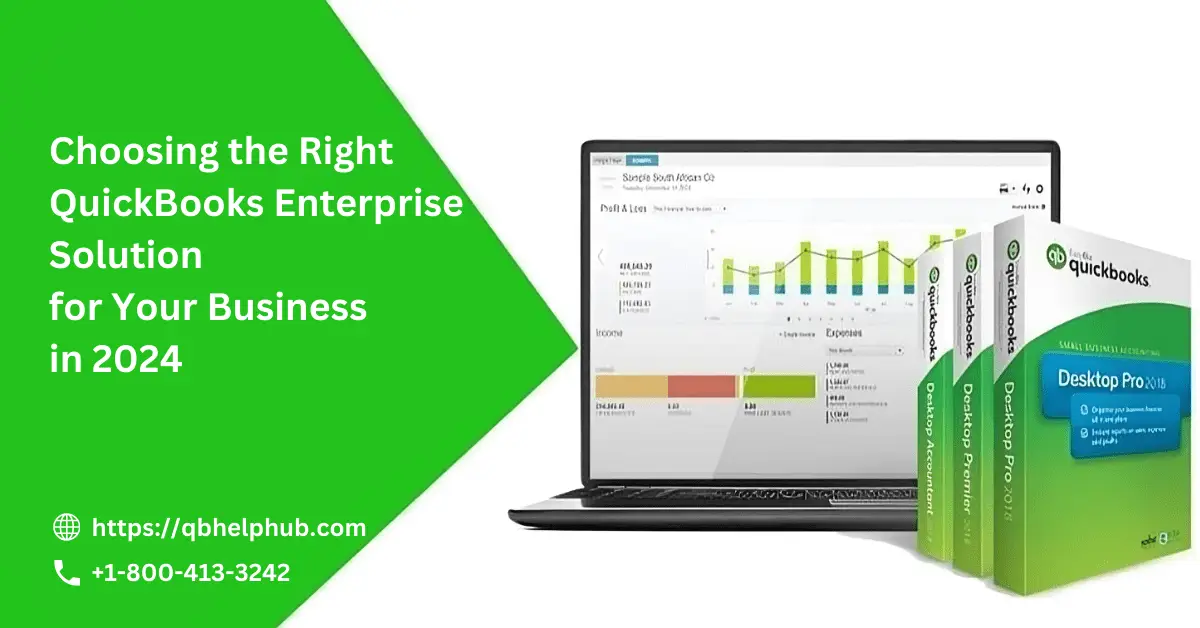
QuickBooks Enterprise Solution help millions of businesses streamline their account management with rich automation. However, those array of solutions often confuse a new user who customize the QuickBooks application. In this regard, this comprehensive guide is all that novice QuickBooks users want to know to make an informed decision. Let’s get started.
Read also: How to Optimize QuickBooks Enterprise Desktop 2024?
Selecting the Ideal QuickBooks Enterprise Solution for 2024
QuickBooks Enterprise Solutions come with a lot of standout features to manage inventory, reporting, user permission and payroll. However, these features vary depending on the version you choose and how you further want to customize your plan. Let’s learn what goes into the decision-making process while customizing QuickBooks Enterprise Solution to overcome industry-specific challenges.
What is QuickBooks Enterprise?
QuickBooks Enterprise is an advanced update of its predecessor with more advanced features to manage accounting. Let’s take a quick look at its features to understand its worth as an Enterprise solution.
Salient Features
Here are some of the prominent features for putting most of your accounting tasks on automation.
- Advanced Inventory: track inventory in real-time and manage bin locations with barcode scanning to save time and effort.
- Customized reporting: choose between 200+ customized templates to create report as per your need
- User permission: create and control user access and permission to protect sensitive information
- Enhanced Payroll: manage payroll, including direct deposit and tax deductions, for your entire workforce from a single dashboard
Different Versions of QuickBooks Enterprise
QuickBooks Enterprise comes in three plans, each higher plan covers all the features of its predecessor plan(s) and some more.
Three plans are:
- Gold: basic accounting functionalities, business insights, and payroll
- Platinum: All Gold features + multi-company management + advanced inventory + advanced pricing + customized bill and purchase order workflow approvals
- Diamond: All Platinum features + employee tracking + Salesforce CRM connector
Read also: How to Fix QuickBooks Error 1603?
How to choose the right plan?
Take into consideration the following factors to be able to decide the right QuickBooks Enterprise plan suitable for your business.
- Business size: small businesses (1-10 employees) would benefit from the Gold feature but medium and large enterprises might require Platinum or Diamond plan.
- Industry: QuickBooks also offer industry-specific versions upon request, e.g. for construction, manufacturing, nonprofit, retail, etc.
- Budget: if you’re new to QuickBooks, you should go with the Gold plan and subsequently switch to higher plans with experience.
Industry-Specific Version
QuickBooks Enterprise can also be availed customized as per different types of industry mentioned below.
- Contractor: manage job costs, track sub contracts, and more
- Manufacturing & Wholesale: get complete visibility over inventory and purchase order management
- Nonprofit: aids in tracking donations, and grants, and managing budgets
- Retail: provides point of sale integration and sales tracking
- Professional Services: helps with project management and billing
Pricing and Budget Considerations
If you are planning to use QuickBooks Enterprise on a long-term basis, you have to consider the plan carefully. It’s better to pay only for features you need than otherwise.
Factors to consider:
- Annual subscription: all plans are available for annual subscription only, no monthly plans
- Additional costs: some features may cost additional price per user or per company file, like employee time tracking and Salesforce CRM connector
- Return on Investment: access how you’re planning to experience return on your investment, like with reduced workforce, minimum manual errors, etc.
Read also: Resolve QuickBooks Error H202 in 3 Simple Steps! (Guaranteed Fix)
User Capacity and Permission
QuickBooks Enterprise empowers you to control the number of user access and set their roles in accessing the application. These features are useful for medium to large enterprises with QuickBooks users at different levels of management from different departments.
Things to consider:
- Number of users: Each plan supports maximum up to 30 or 40 users, with additional charge beyond 10 users. So, your plan may include additional charges if the number of users exceeds 10.
- Role-based permission: You can choose to give full access to users to the entire account or to any particular section (e.g., inventory or finance) from the dashboard
Scalability and Future Proofing
QuickBooks Enterprise is highly scalable. It has been programmed to handle increased data and user demands as your business expands. In this regard, here are some unique USPs of the software:
- Flexible data handling capacity: QuickBooks can handle transaction data across multiple accounts without any glitch
- Feature expansion: you can add extra features and modules to the existing plan or upgrade at anytime, as per your business requirement
- Cloud hosting: QuickBooks supports cloud hosting so that you and your team can manage accounts remotely, in real-time
Customer Support and Training
QuickBooks offers robust customer support and an online library full of useful resources to help users anytime.
- Support options: You can leverage 24/7 live customer support and dedicated account managers. There are also forums to seek help from expert users.
- Training resources: There are online tutorials and weekly webinars too to educate users on how to use QuickBooks better.
Data Security and Compliance
In order to protect your sensitive financial data QuickBooks offers high-end data security features. Those smart features also ensure your data remains compliant with regulations. Here are the features dedicated for data security and compliance:
- Data encryption: secured data encryption to protect sensitive information from malignant users
- Access control: customized access control feature to prevent unauthorized access
- Compliance: ensure software compliance with industry standards and regulations
Conclusion
QuickBooks Enterprise Solution is highly useful when you know how to use it better. It requires understanding your needs and customize the plan as per your budget, scalability and support. If you’re still feeling overwhelmed with the options available, let QB Help Hub guide you to make an informed decision with ease.
Frequently Asked Questions
QuickBooks Enterprise comes with more advanced and rich features than Pro or Premier versions. With capacity to handle more users and data, this is suitable for large business enterprises.
Yes, QuickBooks allows businesses to switch between three plans (Gold, Platinum, and Diamond) as per their requirements. However, it is better to choose the ideal plan from the beginning itself.
QuickBooks comes with advanced data encryption models to protect data from unwanted breaches. Also, it allows you to exercise access control to prevent suspicious users activity.
Yes, QuickBooks can be used by businesses of all sizes- small, medium, and large enterprises. Small businesses can start with the Gold plan and upgrade higher plans as they go.
QuickBooks offers 24/7 live customer support and dedicated account managers. There are also forums to seek help from expert users. There are online tutorials and weekly webinars too to learn how to use QuickBooks better.

What factors should I consider when upgrading to QuickBooks Enterprise this year?
Choosing the right QuickBooks Enterprise solution can be confusing, but your article simplifies the decision-making process wonderfully. This is a well-explained and valuable resource for business owners!
What are the main features of QuickBooks Enterprise in 2024?
The main features of QuickBooks Enterprise in 2024 include advanced inventory management, enhanced reporting capabilities, improved payroll and employee management, and seamless integration with other business software. It also offers industry-specific solutions, better data security, and multi-user collaboration options. For detailed information or assistance, contact QuickBooks Enterprise Support at +1-800-413-3242.
QB Help Hub provided invaluable assistance in selecting the best QuickBooks Enterprise solution for our business in 2024. Their knowledgeable team guided us through our options, ensuring we made the right choice for our needs. Excellent service and support!
Thank you so much for your kind words! We’re delighted to hear that our team was able to assist you in selecting the best QuickBooks Enterprise solution for your business. It’s our mission to provide excellent service and support, and we’re glad you felt well-guided through your options. If you have any more questions or need assistance in the future, don’t hesitate to reach out. We’re here to help!
Hello!
Thank you for taking the time to share your experience! We’re so glad to hear that our knowledgeable team at QB Help Hub was able to help you find the perfect QuickBooks Enterprise solution for your business. Your success is our priority, and we’re here to support you every step of the way. If you need anything else or have further questions, just let us know!