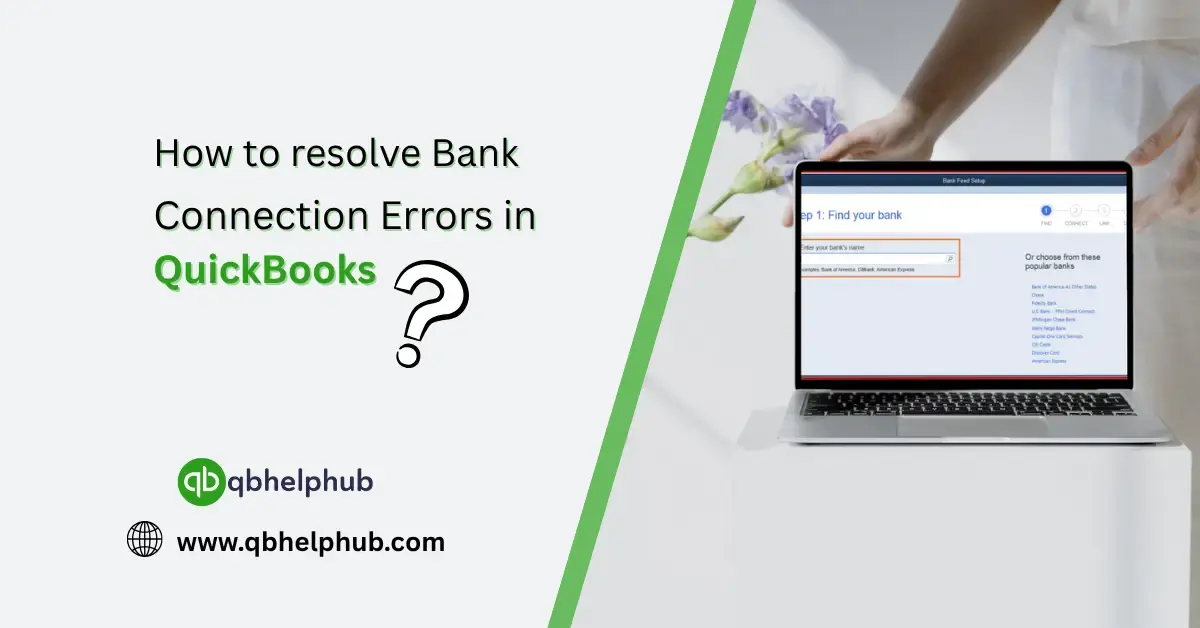
There’s nothing more frustrating than logging into QuickBooks, ready to reconcile your accounts, only to find that your bank connection isn’t cooperating. Whether the transactions aren’t loading, you’re getting vague error codes, or QuickBooks just flat-out refuses to sync with your bank, it can throw your whole workflow off track.
But don’t worry. These issues are more common than you might think, and more importantly, they’re usually fixable without too much hassle. Let’s walk through what might be going wrong and, more crucially, how to fix it.
Read Also: How to Pay myself in QuickBooks
What Causes Bank Connection Errors in QuickBooks?
There’s no single reason, unfortunately. A few things could be at play:
- Your bank changed their website or login protocol
- Multi-factor authentication (MFA) needs to be re-verified
- QuickBooks Online is experiencing a sync delay
- There’s a temporary outage on your bank’s end
- An outdated browser is interfering with the connection
Moreover, the key is figuring out which issue you’re dealing with, and acting fast to get things back on track.
Step-by-Step Fixes for Common Bank Errors
Let’s go over some of the go-to fixes based on what kind of error you’re seeing.
1. Error 102: Bank’s Site Is Down or Under Maintenance
This one’s not your fault. It usually means your bank’s server is undergoing maintenance or experiencing a glitch.
What to do:
Wait 24 hours and try updating again. In the meantime, check your bank’s website independently to see if you can log in there. If you can, QuickBooks should be able to access it again shortly too.
Read Also: How to Fix Common QuickBooks Errors?
2. Error 103: Incorrect Login Credentials
QuickBooks is saying, “Hey, your login isn’t working”, but you know it’s correct. Often, this happens if your bank updates its security features.
Fix it by:
- Going to Banking > Link account
- Re-entering your credentials carefully
- If 2-step verification is turned on, make sure you’re responding promptly when QuickBooks asks
Pro tip: Log in to your bank’s website separately first, then try connecting again from QuickBooks.
3. Stuck on “We Can’t Connect to Your Bank”
Sometimes QuickBooks can’t even complete a connection attempt. That can be a browser issue more than anything else.
Try this:
- Clear your browser cache
- Use a different browser temporarily (Chrome tends to work best)
- Make sure pop-up blockers or password managers aren’t interfering
- Log out and back into QuickBooks Online
If nothing else works, disconnect and reconnect the account. Yes, it sounds dramatic, but it can work wonders.
4. Transactions Aren’t Importing
This one’s sneaky. You’re connected, technically. But nothing’s syncing. So you’re left wondering if it’s something you did.
It could be:
- A date range issue
- Duplicates being auto-blocked
- A bank rule interfering with matching
Solution:
- Click Update on your bank feed
- Check the Banking > For Review section
- Manually download a .CSV file from your bank and import it as a workaround
5. QuickBooks Says “We’re Working On It”
That generic message often means the issue is with QuickBooks’ bank feed provider. It’s annoying, but temporary.
What to do now:
- Go to Banking > Transactions
- Click the blue link that says “Check connection issue”
- If there’s a known outage, QuickBooks will post a status and estimated resolution time
Still no luck? Bookmark the QuickBooks Status Page for live updates.
Advanced Troubleshooting (For the Tech-Savvy)
If you’ve tried the basics and you’re still stuck, try this:
- Disconnect the bank account from QuickBooks
- Clear cache/cookies and restart your browser
- Reconnect the bank as if it’s brand new
- Choose the correct account from the list when prompted
- Don’t import old transactions manually unless needed, they might duplicate!
How to Prevent These Errors from Piling Up
Once you’ve fixed it, you don’t want to revisit the problem next week. Here’s how to keep things running smoothly:
- Always log in to your bank separately once a week to check for changes
- Avoid changing login credentials unless absolutely necessary
- Keep your QuickBooks and browser updated
- Don’t ignore reconnection prompts, those reminders mean something!
When to Contact QuickBooks Support
If it’s been more than 48 hours and your account still won’t update, it might be time to reach out to QuickBooks support. Especially if:
- You’re receiving error codes with no listed solution
- Reconnecting the account doesn’t help
- Transactions are being duplicated or missed entirely
They have deeper tools to manually reset your connection or escalate bank feed issues internally.
Read Also: How to Login as an Accountant in QuickBooks Online?
Conclusion
Bank connection errors in QuickBooks aren’t fun, but they’re not the end of the world either. Most of the time, the fixes are straightforward once you know what to look for. Whether it’s a simple login mismatch or a full-on sync issue, you can usually get things back on track without wasting hours.
Keep an eye out for pattern-based errors, stay proactive with maintenance, and don’t hesitate to disconnect and re-link accounts if needed, because, your financial data, and your sanity, are worth it.
Get In Touch with Us
If you are interested to know more about QuickBooks and basic troubleshooting steps, we are here to help you through our dedicated customer service team. Fill out the customer response form or feel free to reach to us at support@qbhelphub.com Our highly competent team is here to solve all your queries regarding QuickBooks.
FAQs