
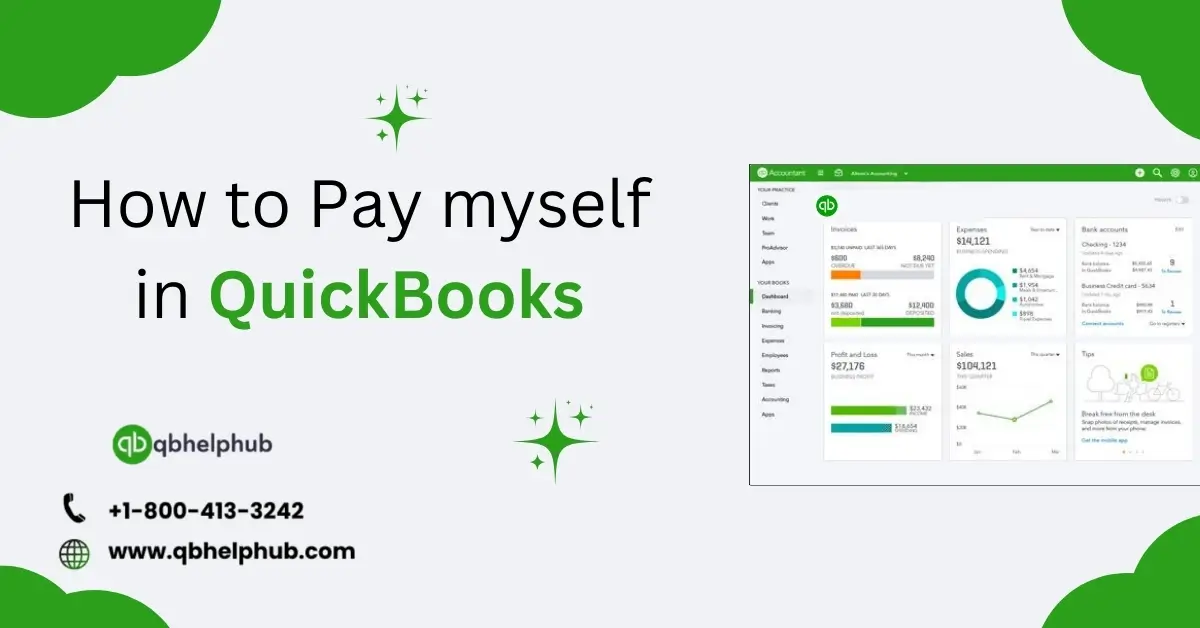
Running a small business requires careful financial management. As the owner, you need to make sure you get paid properly. QuickBooks, a popular accounting tool, helps you manage this task easily. Additionally, whether you take a salary,draw money as the owner or pay yourself back for business expenses, QuickBooks offers all the multiple ways to handle your business easily. This guide explains how to pay yourself using QuickBooks. Also, it shows you how to follow tax rules and keep your financial records accurate. By the end, you will know exactly how to handle your payments in a simple and effective way.
Also Read: How to Fix Common QuickBooks Errors?
Understanding Different Payment Methods
Before using QuickBooks’s steps on how to pay yourself, it’s essential to understand the different ways you can pay yourself, depending on your business structure:
Owner’s Draw: when you take the money from your business for your personal use. It is not a salary, so it is not taxed when you take it. But it does lower your share in the business.
Salary: If your business is structured as a corporation, you may pay yourself a salary. This method involves regular payroll processing, with taxes withheld and paid on your behalf.
Reimbursements: If you have used your own money to cover business expenses, you can pay yourself back. This step helps to keep separate both your personal and business finances.
Step-by-Step Guide to Paying Yourself in QuickBooks
1. Setting Up Your Payment Method
The first step in paying yourself is setting up the appropriate payment method in QuickBooks. Here’s how you can do it:
Steps for Owner’s Draw:
- First go to the “Chart of Accounts” in QuickBooks.
- To create a new account click on “New”.
- Choose “Equity” as the account type.
- Then name the account “Owner’s Draw” or something similar.
- Now save the account.
Salary Entry:
- Go to the “Payroll” section in QuickBooks.
- If you do not have Payroll, set it up there.
- Ensure you have entered your employee details, including your name if you are taking a salary.
- Set up the payment schedule and enter your salary amount.
For Pay Yourself Back:
- Go to “Expenses” in QuickBooks.
- Choose “New Transaction” and then click on “Expense.”
- Click on the dropdown menu and choose your personal account from the “Payee” dropdown menu.
- Enter the expense details and choose the right category, and then save the transaction.
2. Recording the Payment
After you set up your payment method, you can start recording your payments in QuickBooks. But the steps may vary according to your choice of payments to yourself.
Recording an Owner’s Draw:
- Go to “Banking” or “Write Checks.”
- Select the bank account from which you are drawing funds.
- Choose the “Owner’s Draw” account you created earlier as the category.
- Enter the amount you are withdrawing and save the transaction.
Recording a Salary:
- Go to the payroll section and normally run the payroll.
- QuickBooks automatically figures out and deducts the taxes, helping you within the tax rules.
- After you process the Payroll, QuickBooks will record the salary as an expense in your accounts.
Steps For Recording Your Payback
- Go to “Banking” and select the account you are paying yourself back from.
- Select the right expense amount to categorize the payback.
- Enter the amount and save the transaction.
Also Read: QuickBooks and Intuit : Are they the same?
3. Managing Taxes
When you pay yourself, managing taxes is important. This tax impact will change depending on whether you are taking an owner’s draw, a salary, or paying yourself back for expenses.
Owner’s Draw Tax Implications:
- Owner’s draws do not have payroll taxes, but they count as equity distributions.
- When you file your taxes, you will need to pay self-employment taxes on your portion of the business income.
- It’s important to keep detailed records of all your draws for tax purposes.
Understanding Tax on Salaries:
- Salaries have payroll taxes, including income taxes, Social Security, and Medicare.
- QuickBooks can calculate these taxes for you, ensuring that the correct amounts are withheld and paid to the IRS.
- Always file and pay Payroll taxes on time to avoid penalties.
Tax Basics For Payback:
- Paying yourself back for business expenses are not taxable as long as the expenses are real and well-documented.
- Keep detailed records of all reimbursed expenses to substantiate your claims in case of an audit.
- Keep clear records of all paybacks to back up your claims if you are ever audited.
4. Keeping Accurate Records
For business success you should keep your financial records accurate. When you pay yourself, make sure to categorize and document each transaction accurately. This helps in proper tax reporting and gives a clear view of your business’s financial health.
- Regular Account Check up: Regularly review your bank accounts in QuickBooks to make sure that all transactions are accurately recorded. This will help you find any mistakes early and quickly fix them.
- Keep Detailed Records: make sure to keep clear reports of all records of all payments like owner’s draws, salaries, and paybacks. Store receipts, invoices, and any other documentation that supports these transactions.
- Watch Your Cash Flow: Regularly check your cash flow to make sure the payments you make to yourself are sustainable and do not negatively affect your business’s day-to-day operations.
5. Consulting a Professional
While QuickBooks simplifies the process of paying yourself, it’s always a good idea to consult with an accountant or financial advisor. They can provide guidance tailored to your specific situation and help you navigate complex tax laws and regulations.
- Tax Planning: An accountant can help you develop a tax strategy that minimizes your tax liability while ensuring compliance with all regulations.
- Financial Health Check: Regular consultations with a financial advisor can help you assess the overall financial health of your business and make informed decisions about how much you can afford to pay yourself.
Common Mistakes to Avoid
When paying yourself in QuickBooks, it’s important to avoid common mistakes that could lead to financial or legal complications:
- Mixing Personal and Business Finances: Always keep your personal and business finances separate. Use a dedicated business account for all transactions, including payments to yourself.
- Ignoring Tax Obligations: If you are taking a salary, ensure that all payroll taxes are properly calculated and paid on time. Failing to do so can result in penalties and interest from the IRS.
- Be Careful From Withdrawals: Be careful and do not take too much of money from your business, When you are doing an owner’s draw. Taking too much can hamper your business’s cash flow and operations. Overtime, it could put your business’s financial health at risk.
- Do Not Skip Paybacks Documentation: If you are reimbursing yourself for money you spent on business expenses using your personal fund, then make sure you have the detailed updated records. Otherwise you can face questions while auditing without the proper documentation. Which may cause some issues or may deny the deductions.
- Keep QuickBooks Updated: Regularly updating your QuickBooks accounts is important for keeping your financial records accurate and updated.This helps you make wise decisions and through this step you can easily file the taxes at the end of the year.
Also Read: How to Fix QuickBooks Error 1603?
Understanding the Legal Sides
Therefore, depending on how you choose to pay yourself, there are legal implications that you should be aware of, especially regarding taxes and compliance with federal and state laws.
Salary Payments and Employment Laws: Consequently, if you pay yourself a salary, you must adhere to employment laws, including the minimum wage requirements and payroll tax obligations. Failure to comply with these laws can result in fines and legal issues.
Self-Employment Taxes: If you are a sole proprietor or partner, you are responsible for paying self-employment taxes on your business income. Nonetheless,QuickBooks can help calculate these taxes, but it’s your responsibility to ensure they are paid.
Corporate Compliance: If your business is structured as a corporation, there are additional compliance requirements, such as maintaining a reasonable salary for yourself if you are an S-Corp owner. Paying yourself too little can raise red flags with the IRS, as it may be seen as an attempt to avoid payroll taxes.
Automating Payments in QuickBooks
One of the advantages of using QuickBooks is its ability to automate many aspects of paying yourself, which can save time and reduce errors.
Setting Up Recurring Transactions:If you pay yourself a regular salary or make regular owner’s draws, you can set up recurring transactions in QuickBooks. This ensures that payments are made on time and that your records are consistently updated without the need for manual input each time.
Automating Payroll Taxes: QuickBooks Payroll can automate the calculation and payment of payroll taxes. Additionally, this feature can be particularly beneficial if you are paying yourself a salary, as it reduces the risk of errors in tax calculations and ensures that taxes are paid on time.
Automatic Bank Feeds: By linking your business bank account to QuickBooks, you can automate the process of recording transactions, including payments to yourself. This integration ensures that all transactions are captured in real-time, making it easier to keep your financial records up-to-date.
Best Practices for Paying Yourself in QuickBooks
To maximize the benefits of using QuickBooks for managing your payments, follow these best practices:
Check Your Financial Reports Often: QuickBooks has reports that give clear information about your business finance. Through regular checking, the profit and loss statements and balance sheets, you can decide how much you can afford to pay yourself.
Stay Informed About Tax Laws: Tax laws change often, so it’s important to stay informed and make sure that you are following the rules. QuickBooks updates its software automatically to reflect these changes. But, it is a good decision to contact a professional to understand how new laws might affect your business payments.
Plan for the Future: As your business grows, you can change your payment strategy which is very important. You check your payment methods regularly and consider how changes in your business like income or expenses could affect them. QuickBooks can help you through its financial planning and budgeting tools.
Keep Your Accounts Separate: If possible, you can separate your accounts in QuickBooks for owner’s draws and reimbursements. This makes it easier to keep your financial records accurately. Also, it tracks these transactions when tax time comes around.
Also Read: How do I Login into an Intuit QuickBooks Account?
Bottom Line:
Paying yourself in QuickBooks isn’t a difficult task. By understanding your business figure and following the steps which are already described in this guide you can pay yourself correctly. Moreover, you can maintain the top position in your financial management. Whether you are taking an owner’s draw, receiving distributions or running payroll. QuickBooks offers the tools to make the process easy and direct with tax regulations.

QB Help Hub provided excellent support for paying myself in QuickBooks. Their step-by-step instructions and expertise made the process simple and straightforward, ensuring accurate payroll management.
Your article on paying yourself in QuickBooks is very informative. Many small business owners struggle with this aspect, and your detailed guide provides a clear and practical solution. Well done!