When you’re running a business, juggling payroll, invoices, expenses, and tax prep can quickly get overwhelming, especially when you’re dealing with independent contractors. Unlike traditional employees, contractors come with their own unique set of responsibilities for businesses to manage. Fortunately, QuickBooks Online steps in to make this process less of a headache and more of a streamlined, organized workflow.
Let’s take a closer look at how QuickBooks Online helps you hire, pay, track, and stay compliant when working with independent contractors.
Read Also: How to Create Recurring Invoices in QuickBooks Online?
Simplifies Onboarding for Contractors
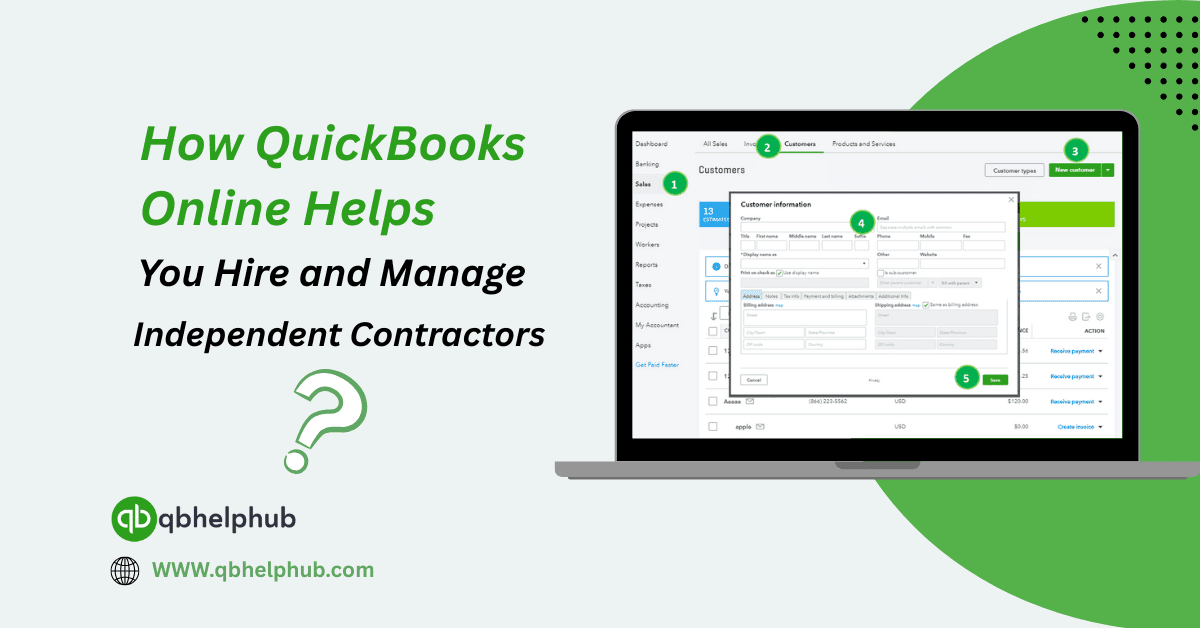
Getting started with a new contractor shouldn’t be a long, confusing process, and with QuickBooks Online, it isn’t. Once you’re ready to bring someone on board, you can easily add them to your QuickBooks account as a contractor. You’ll just need their name, email address, and payment info.
QuickBooks even sends them a W-9 form automatically, so you don’t have to chase paperwork. This alone can save hours of back-and-forth. Plus, contractors can securely fill out their details and submit them straight into your QuickBooks database. No physical forms, no scanning. No messy email threads.
Easy Payment Options, Without the Guesswork
Paying contractors through QuickBooks is pretty seamless. Once they’re set up, you can send payments via direct deposit, usually within a couple of business days. No checks to print. No manual records to update.
And the nice part? Every payment is automatically logged and categorized in your books. That means no end-of-month scramble to match bank transactions to your spreadsheet. QuickBooks handles all that in the background, while you focus on actual work.
Whether you pay contractors weekly, monthly, or as projects wrap up, you can schedule payments or log them manually. It’s flexible enough to fit just about any workflow.
Read Also: Step-by-Step Guide to Uploading Bank Statements in QuickBooks Online
Keeps 1099 Filing Stress-Free
One of the most important parts of working with contractors is 1099 filing. If you pay a contractor $600 or more during the year, you need to send them a 1099-NEC form come tax time.
QuickBooks Online makes this super simple. It tracks all payments you’ve made to each contractor throughout the year, and when January rolls around, it prompts you to review the info and e-file the 1099s directly from your dashboard. You don’t even need to leave QuickBooks.
You also have the option to have QuickBooks mail a copy to each contractor automatically, one less thing for you to remember or mess up.
Manages Multiple Contractors with Ease
Working with just one contractor is simple enough, but if you have five, ten, or more, things can start to feel a bit chaotic. QuickBooks Online scales well with your needs.
You can create separate profiles for each contractor, keep their payment histories organized, and track who’s been paid and who hasn’t. If you need to pull up a list of your current contractors and what you’ve paid each one this year, that’s just a couple of clicks away.
The visibility QuickBooks offers is a lifesaver when you’re managing several people, all with different roles and timelines.
Provides Insightful Reports
If you’re trying to understand where your money’s going, QuickBooks has your back. You can run reports that show how much you’ve paid contractors, broken down by date, project, or category.
This kind of detail helps you evaluate project budgets, prep for taxes, and spot where you might be overspending. And since the data is already there from the payments you made earlier, there’s no need to re-enter anything.
Keeps You in Compliance
Tax laws and contractor classification rules aren’t always crystal clear. But with QuickBooks, you reduce your risk of non-compliance. The platform’s built-in contractor tools guide you toward correctly collecting tax info, tracking payments, and issuing 1099s.
And if you ever need more help, QuickBooks gives you access to accountants and tax pros who can offer expert guidance tailored to your business.
Works Well with QuickBooks Time
If your contractors log hours or need to track time against specific projects, integrating QuickBooks Online with QuickBooks Time (formerly TSheets) makes a huge difference.
They can clock in and out from their phone or computer, and you’ll get real-time visibility into what they’ve worked on. Then, when it’s time to pay, their logged hours flow directly into QuickBooks, making invoicing or payments quick and accurate.
Final Thoughts
Managing independent contractors doesn’t have to be a complicated or manual task. With QuickBooks Online, you can bring everything, onboarding, payments, 1099s, and reporting, into one organized system that keeps you compliant and saves you time. Whether you’re hiring one freelancer or juggling a dozen subcontractors, QuickBooks makes it easier to stay in control and focus on growing your business instead of chasing down paperwork.
Read Also: QuickBooks Checking Account Full Review of Features, Fees, Pros & Cons
Get In Touch with Us
If you are interested to know more about QuickBooks and basic troubleshooting steps, we are here to help you through our dedicated customer service team. Moreover, you can fill out the customer response form or feel free to reach to us at support@qbsolved.com Our highly competent team is here to solve all your queries regarding QuickBooks.