For most business owners, QuickBooks Desktop is more than just accounting software; it’s a daily necessity. It tracks spending, processes payroll, manages invoices, and keeps things running behind the scenes. But even the most dependable software runs into issues from time to time.
Read Also: How much should I pay someone to do my QuickBooks?
When that happens, fixing the problem quickly becomes the priority. That’s exactly where QuickBooks Tool Hub comes into play. It’s a free utility designed by Intuit to help users fix some of the most common QuickBooks Desktop problems. But the real question is should your business bother installing it? Let’s take a closer look at what Tool Hub does, when it’s helpful, and why many users consider it essential.
What Is QuickBooks Tool Hub?
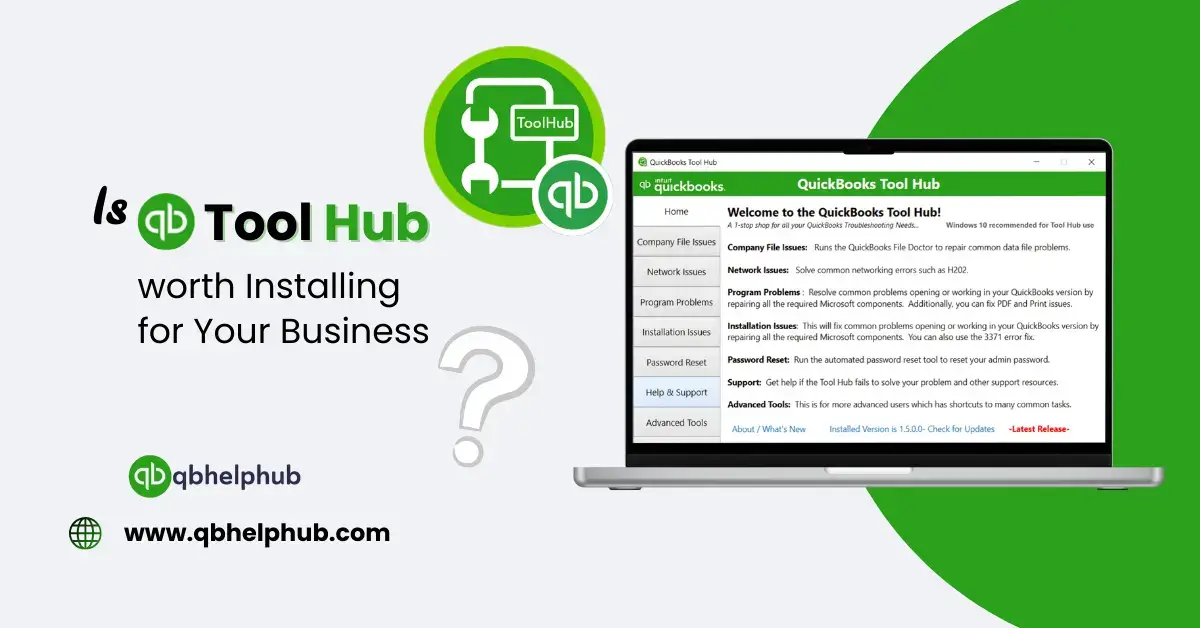
QuickBooks Tool Hub is a repair toolkit built to resolve issues with QuickBooks Desktop. Instead of trying to figure out which tool to download every time something breaks, Tool Hub puts several helpful utilities in one place.
These are some of the tools it includes:
- Quick Fix My Program – Restarts background processes and repairs crash-related problems
- QuickBooks File Doctor – Scans and fixes issues with damaged or inaccessible company files
- Install Diagnostic Tool – Resolves errors related to failed installs or updates
- Network Issues Tool – Helps with multi-user access problems on a network
- Password Reset Tool – Recovers or resets a lost QuickBooks admin password
Why Businesses Choose to Use It?
At first glance, it might seem like just another add-on. But for many business owners, especially those who use QuickBooks daily, installing Tool Hub is a smart, preventative step.
Here’s why it often makes sense:
1. It Reduces Downtime
When QuickBooks crashes or refuses to open a company file, it stops more than just software it halts your business workflow. Running a scan from Tool Hub can resolve many of these problems in minutes. Rather than calling IT support or waiting on hold, you have the tools on your machine ready to go.
2. It’s Free and Easy to Install
There’s no cost involved, no registration needed, and no software subscription.
You can download QuickBooks Tool Hub directly from Intuit’s official website and install in just a few clicks.
3. You Don’t Need a Tech Background
One of the most overlooked features of Tool Hub is how user-friendly it is. Each tool is present under a clear tab with names like “Program Problems” or “Installation Issues.” You click, follow a short guide, and the tool handles the rest. If you can open a program and click “Run,” you can use Tool Hub
4. It Helps Prevent Bigger Issues
Small problems like QuickBooks running slowly or freezing unexpectedly can sometimes be signs of deeper issues. Catching and fixing them early helps you avoid more serious complications down the line, such as data corruption or failed backups.
Read Also: How to Use QuickBooks Tool Hub to Fix QuickBooks Database Issues
Real-Life Scenarios Where It’s Useful
Here are a few examples where QuickBooks Tool Hub comes in handy for businesses:
- QuickBooks won’t open at all
Instead of reinstalling the entire program, run Quick Fix My Program to repair background processes and restart QuickBooks cleanly. - An error message appears when accessing your company file
Use QuickBooks File Doctor to scan for file damage and network issues. - Installation of an update fails mid-way
Head to the Installation Issues tab and launch the Install Diagnostic Tool. It checks for missing components and restores them. - Multi-user mode stops working
Run the Network Issues tool to reset the connection between workstations and the company file.
These aren’t rare problems they’re common issues that many QuickBooks users run into at some point during the year.
A Few Things to Know Before Using It
While Tool Hub is a valuable repair assistant, there are a few limitations to keep in mind:
- It only supports QuickBooks Desktop, not QuickBooks Online.
- It doesn’t replace technical support; some issues will still require help from Intuit or a ProAdvisor.
- It doesn’t change or delete your data, but it’s still a good idea to back up your company file before running repairs.
To Wrap Up
If your business depends on QuickBooks Desktop, then yes, installing QuickBooks Tool Hub is absolutely worth it. It doesn’t cost anything, it doesn’t take up much space, and it’s designed to fix problems that could otherwise waste hours of your time.
Having it installed now means you’re ready the next time QuickBooks gives you trouble. Instead of scrambling for answers or calling support in a panic, you can open Tool Hub and often solve the issue in a few steps.
FAQs (Frequently Asked Questions)