Choosing the right QuickBooks product isn’t always as simple as picking a plan and hitting subscribe. Since, each version, QuickBooks Online, Desktop Enterprise, and Intuit Enterprise Suite, caters to very different needs, business models, and levels of complexity. Whether you’re a solo freelancer juggling invoices or a large firm tracking inventory across multiple warehouses, understanding these tools will save you a ton of headaches later.
Let’s break things down and see which version of QuickBooks actually fits you.
1. QuickBooks Online: Built for Simplicity and Flexibility
QuickBooks Online (QBO) is cloud-based, which already makes it a favourite among business owners who need access from anywhere because, you can log in from your phone, tablet, or laptop, and everything syncs in real time.
If you’re running a small to mid-sized business and don’t need a ton of customization, this version might be your sweet spot. Moreover, it handles basic accounting like invoicing, bank reconciliation, expense tracking, and payroll (with add-ons). Plus, the interface is clean and pretty easy to learn, however, it’s not all sunshine. The reporting features, while decent, don’t go as deep as the desktop counterparts. And if your internet is spotty, that could slow you down too. However, its most suitable for: Small businesses, freelancers, remote teams, startups.
Read Also: How to Change Primary Admin in QuickBooks Online?
2. QuickBooks Desktop Enterprise: A Powerhouse for Complex Needs
Now, if you’re dealing with inventory, large teams, job costing, or industry-specific needs, Desktop Enterprise starts to shine. This version is packed, because we’re talking advanced inventory management (like FIFO, barcodes, multiple locations), customizable roles and permissions, and powerful reporting.
But keep in mind, it’s not cloud-native. Yes, you can pay extra for cloud hosting through Intuit or a third-party provider, but it was built with on-site use in mind. So, if mobility is a must, that’s a bit of a trade-off. However, it is best for: Manufacturing, construction, nonprofits, and growing businesses with more complex workflows.
3. Intuit Enterprise Suite: The All-in-One Ecosystem
Well, this is where things get next-level, since, Intuit Enterprise Suite bundles QuickBooks Desktop Enterprise with a stack of tools like payroll, time tracking, CRM integration, e-commerce syncing, and even field service management.
Essentially, if you want everything under one roof, and you’re willing to invest in it, this suite streamlines a lot of your business ops. Also, it’s a bit like choosing the premium cable package with all the channels versus just subscribing to Netflix, for larger firms that rely heavily on data and need cross-functionality, this can be a game-changer.
Read Also: How to Optimize QuickBooks Enterprise Desktop 2024?
The cost jumps significantly compared to QBO or even Enterprise alone, plus, the setup process can be more technical. However, it is best for: Larger businesses ready to centralize operations and automate everything possible.
Comparing Key Features
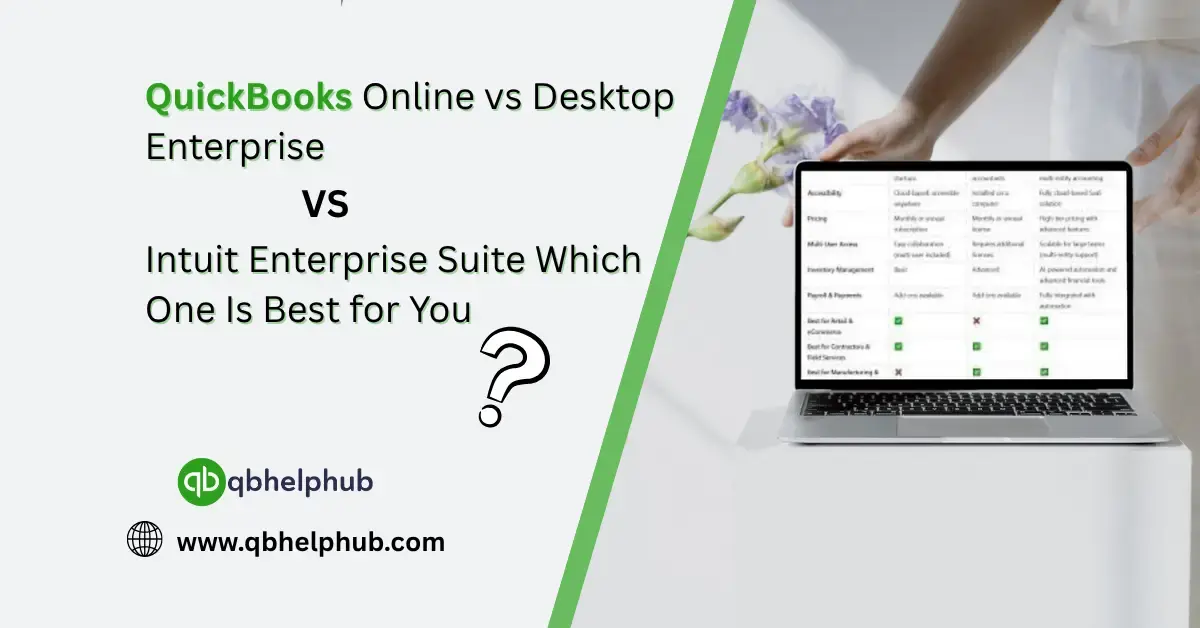
| Feature | QuickBooks Online | Desktop Enterprise | Intuit Enterprise Suite |
| Access | Cloud-based | On-premise or hosted | On-premise or hosted |
| Users | Up to 25 | Up to 40 | Up to 40 |
| Inventory | Basic tracking | Advanced w/ FIFO & barcode | Advanced + e-commerce integration |
| Payroll | Add-on | Integrated | Fully integrated w/ add-ons |
| Custom Reports | Basic | Advanced | Advanced w/ extended tools |
| Industry Versions | No | Yes | Yes |
| Price | Lower | Mid-range | Highest |
How to Decide Which One to Use?
- If you value ease-of-use and mobility: Go with QuickBooks Online, it does the job well enough without bogging you down.
- If you need deep functionality and don’t mind managing things locally: QuickBooks Desktop Enterprise is a strong, reliable choice.
- If you’re managing multiple departments and systems and want them to sync effortlessly: The Intuit Enterprise Suite might be worth the investment.
Don’t pick a version based solely on features though. Look at your day-to-day operations. Are you frequently jumping between tools? Do you need to manage a warehouse? Are you planning to grow your team soon? These real-world factors should guide your decision.
Read Also: 5 Reasons you Should Switch to QuickBooks Enterprise
Conclusion
QuickBooks has come a long way from being just a desktop ledger, hence, today, it offers tailored solutions for businesses of all sizes. Whether you’re looking for something lightweight and mobile or a full-fledged operational suite, there’s an option built for your workflow. Because, the key is knowing your business inside and out, and picking the version that supports your goals without overcomplicating things.
Get In Touch with Us
If you are interested to know more about QuickBooks and basic troubleshooting steps, we are here to help you through our dedicated customer service team. Moreover, you can fill out the customer response form or feel free to reach to us at support@qbhelphub.com Our highly competent team is here to solve all your queries regarding QuickBooks.