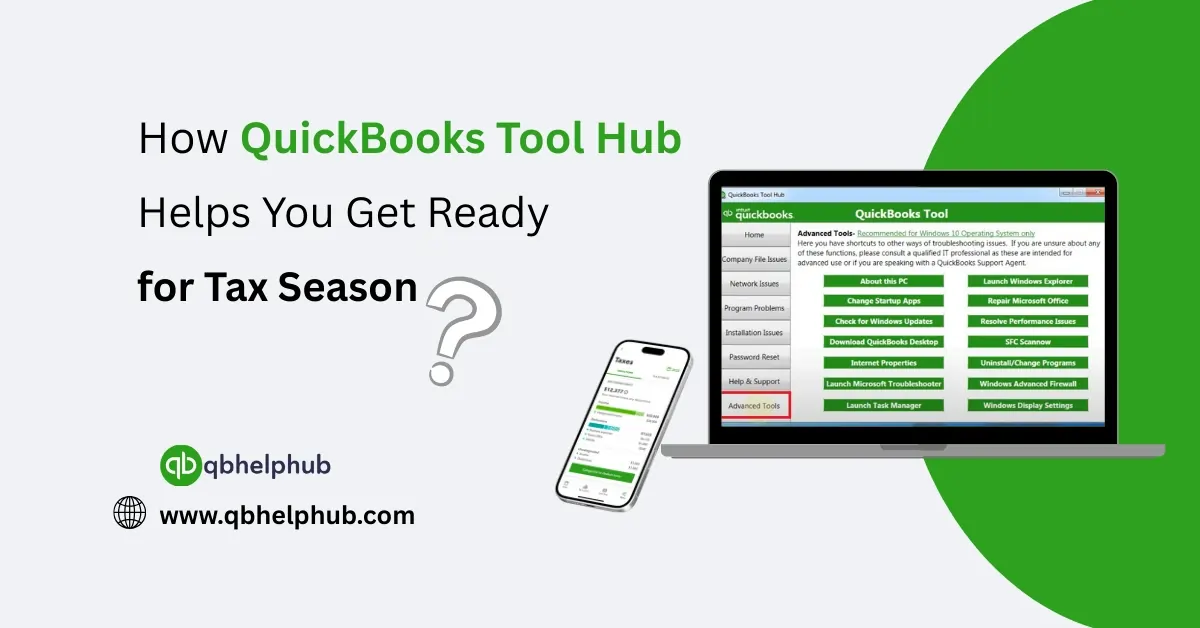
Every year, tax season shows up right on time and for many business owners, it brings a mix of anxiety, tight deadlines, and a long checklist of things that need to get done. Whether it’s organizing receipts, fixing reporting issues, or trying to print the exact forms needed for filing, there’s a lot to keep track of. While QuickBooks Desktop helps manage day-to-day finances, even that can run into problems when pressure is high. Company files won’t open. The program freezes. Reports won’t print. That’s where QuickBooks Tool Hub steps in.
Designed by Intuit, this free utility brings together multiple troubleshooting tools in one place. And during tax season, when time matters most, it can quietly help you avoid some of the most common QuickBooks headaches.
Read Also: How QuickBooks Tool Hub Helps Resolve Company File Issues?
What Is QuickBooks Tool Hub?
Before diving into how it helps at tax time, it’s worth understanding what Tool Hub is.
Think of it as a support center for QuickBooks Desktop. Instead of downloading separate tools every time something breaks, Tool Hub gives you access to a full set of repair tools from one dashboard.
It’s free, available directly from Intuit’s website, and installs in just a few minutes. Once opened, it offers help with:
- Company file access problems
- Installation and update failures
- Freezing, crashing, or lagging performance
- Issues with printing forms or saving them as PDFs
- Password problems and admin login troubles
Tool Hub doesn’t change your data or adjust your numbers; it just helps fix the software itself so QuickBooks can do its job properly.
Why QuickBooks Errors Multiply Around Tax Season
Most of the year, small glitches in QuickBooks might go unnoticed. But when tax season rolls around, everything becomes urgent. Financial reports need to be accurate. Forms need to print without issue. Files must be accessible, backed up, and current.
Unfortunately, that’s often when problems crop up. It’s not that QuickBooks suddenly gets worse it’s that tax time forces everything to run at full speed, and any hidden issues rise to the surface.
- A company file that worked fine last month suddenly won’t open
- You missed new updates, and now tax form templates are not up to date
- The system crashes when trying to print W-2s or run payroll summaries
Tool Hub can help you work through these issues fast, so you don’t miss a deadline or send incorrect data.
Read Also: How to Use QuickBooks Tool Hub to Troubleshoot Common Issues?
How QuickBooks Tool Hub Can Help at Tax Time?
Let’s look at how different parts of Tool Hub become especially useful during tax preparation.
1. Fixing Company File Access Problems
The company file is where all financial data lives. If there’s damage in the file, or refuses to open, tax prep stops immediately. Tool Hub includes the QuickBooks File Doctor, which scans for corruption and repairs minor file issues automatically.
This is especially helpful when error codes like 6000 or -6150 appear, or if QuickBooks freezes when loading a file.
2. Solving Printing and PDF Issues
You need print or save many tax forms as PDFs, but QuickBooks sometimes fails to connect to the printer or gives errors when generating PDFs.
The Print & PDF Repair Tool inside Tool Hub works specifically to reset those functions. If the program crashes when trying to export a report or fails to detect your printer, this tool can often solve the issue in a single run.
3. Making Sure Updates Were Installed Properly
If you failed to update QuickBooks Desktop recently, certain tax forms like 1099s or W-2s—may not generate correctly. Tool Hub includes tools to fix failed updates and repair damaged installations, so you don’t get stuck trying to install the latest version right when you need it most.
Read Also: Fixing QuickBooks Installation Issues with Tool Hub
4. Resetting Passwords in a Pinch
If someone forgets the admin password and no one remembers the new one, Tool Hub includes a Password Reset Tool that can help restore access quickly without losing any data.
This becomes especially valuable when only one person typically handles year-end prep, and they suddenly lock themselves out of their own file.
Step-by-Step: How to Use Tool Hub for Tax Prep Fixes
Here’s a quick walkthrough to get started with Tool Hub:
1. Download QuickBooks Tool Hub from Intuit’s official website
2. Install the program and launch it from your desktop
3. Select the tab that matches your issue (e.g., Company File Issues, Program Problems, Installation Issues, etc.)
4. Follow the steps on screen each, tool includes a clear guide
5. After using the tool, restart QuickBooks and test the feature you needed (like opening a file, printing a report, or exporting to PDF).
Final Thoughts
When tax deadlines are threatening, the last thing any business owner wants is a broken QuickBooks setup. Whether it’s a company file that won’t open, reports that won’t print, or a password issue that locks you out at the worst possible moment, QuickBooks Tool Hub can step in and make the difference between missing a deadline and moving forward confidently. It’s free, fast, and surprisingly effective and having it installed before things go wrong can save hours of stress when the pressure is on.