
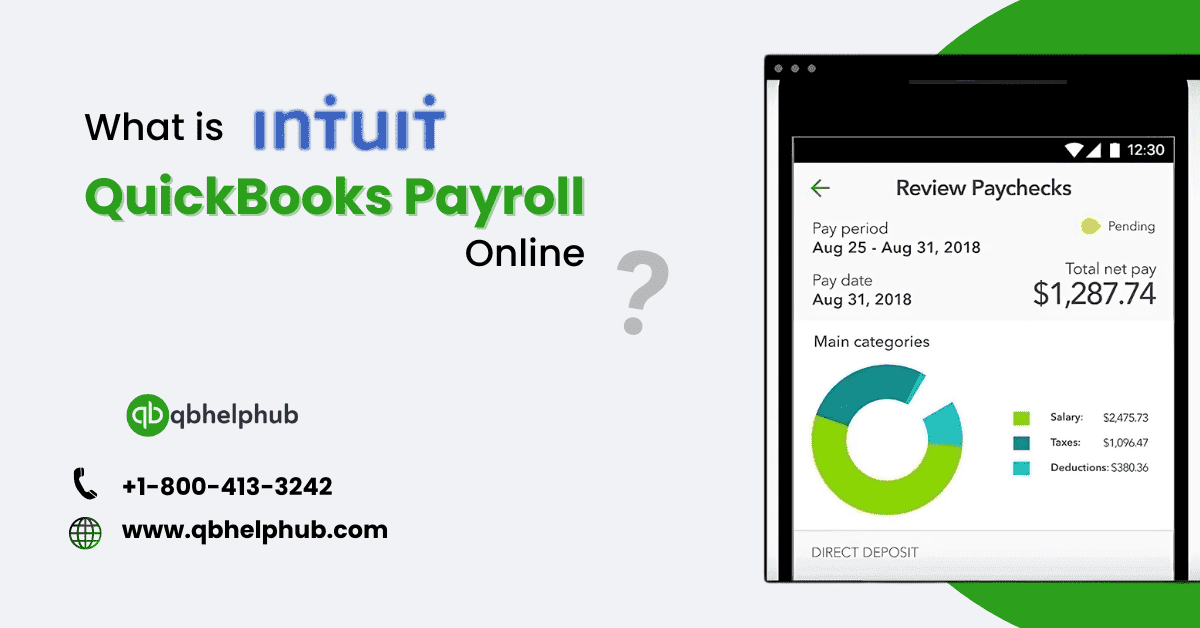
What comes into your head when you think about managing a business? Maybe sales records, expense management, or even taxation. One part of successful business management often bypassed and underrated is good payroll management. This is where QuickBooks Payroll Online comes in. What it does is streamline payroll properly for accuracy and save valuable time. In this review, we’ll take a deep look at what Intuit QuickBooks Online Payroll is, how it really works, and why it might just be the perfect solution for your business needs.
Read also: What are some common problems with QuickBooks payroll?
Introduction to Intuit QuickBooks Payroll Online
Imagine managing the hours of employees, calculating deductions, and then making sure everybody gets paid on time without a single error. Sounds daunting, right? QuickBooks Payroll Online is there to take this load off your shoulders with an easy-to-use platform that automates and simplifies payroll. Be it a small business or a big firm, knowing how Intuit QuickBooks Payroll Online works may be a real game-changer.
The importance of Payroll management
Payroll is not just about issuing cheques or making salaries enter the bank accounts of employees. Rather, it includes keeping tax laws in compliance, maintaining satisfaction among employees, properly maintaining financial records, etc. Payroll management works like the engine of an automobile; when properly running, all other things fall into place. On the other hand, bad payroll management will result in disgruntled employees and penalties due to taxes, and misstatement of the financial statement.
What makes QuickBooks Payroll Online Unique?
You might wonder what sets QuickBooks Payroll Online apart from other payroll services? Core basic features include an all-inclusive, cloud-based solution, totally integrated with QuickBooks Online. That is, all of your financial information connected, managed from one place for ease in running your business. Besides, the features on Automated Payroll Tax Calculation and Filing can save hours of manual work while assuring accuracy and compliance with much ease.
How does QuickBooks Payroll Online work?
QuickBooks Payroll Online is subscription-based, so you can select plans that will benefit your business. You are able to use this service from any connected device, be it from home, in the office, or even on the go—just log in to your account online. It provides step-by-step guidance to set up your payroll system, add employees, and set up the pay schedules. Just a couple of mouse clicks will process payroll once the setup is complete. Then, the taxes get calculated and filed on your behalf.
Key features of QuickBooks Payroll Online
Automatic Payroll Processing
QuickBooks Payroll Online enables you to schedule the processing of payroll runs. With the help of this feature, your employees receive their wages on time and without the interference of middle management.
Tax Calculations and Filings
A very laudable feature of QuickBooks Payroll Online is that it helps calculate, file, and pay your payroll taxes with ease. This feature presents the merit of avoiding human interference such that there is compliance with all federal, state, and local tax laws.
Employee Self-Service Portal
With the online payslip, W2, and other information system, your employees can freely read their payslip, tax forms and other details. This feature does not only help you in saving time but also in enabling the concerned employees view their own data.
Time Tracking Integration
QuickBooks Payroll Online also syncs with time keeping apps, whereby you transfer your employees’ working hours into your payroll program. This integration minimizes the chances of making errors while at the same time helping in expediting the computation of payrolls.
Read also: Is QuickBooks Online better than a Desktop?
Benefits for small businesses
It can be pretty troublesome to manage payroll for small businesses, especially those with limited resources and less time. QuickBooks Payroll Online comes with a lot of benefits that make it the perfect choice in this regard for small business owners: Affordability: Intuit QuickBooks Payroll Online is cheap software as it has many pricing plans that are suitable for all organizations. Ease of Use: Since the system is user-friendly, the business owners are less likely to require training or accounting skills especially when processing the payrolls. Scalability: QuickBooks Payroll is designed to grow with your business and when your client’s employee expands, you can upgrade to a higher level of QuickBooks Payroll to suit their needs.
Comparing QuickBooks Payroll Online Plans
QuickBooks Payroll Online comes in three different types of plans: Core, Premium, and Elite. Each has a variant service level, embedded with different features to serve all business purposes.
Core
Basic Payroll Processing: The core plan provides all essential components of the feature including auto-run of payroll, tax computation, and filing. Employee Self-Service: Pay slips and tax documents can be joined by the employees in the employee self-service.
Premium
Advanced Payroll Features: Many of the additional features are already in the Basic package, but some additional tools are present in the Premium package, including same day direct deposit, and Human Resource support. Time Tracking Integration: This plan provides tools for the tracking of time for ease in the keeping of the records of the employees’ working hours.
Elite
Comprehensive Payroll Solutions: The Elite Plan is designed as the most superior one and includes all the options of the Premium Plan, as well as extra services provided by the account manager and tax penalty security. Priority Support: All customers who use Elite Plan get priority Quickbooks customer support and, thus, they get fast support in case of a problem.
Read also: How to download QuickBooks desktop: fast and easy steps
Integration with QuickBooks Online
Probably the most important advantage of QuickBooks Payroll Online is the fact that it integrates with QuickBooks Online. This makes all of your financial data interlinked, from invoices to expenses, giving you the overall picture of the financial health of your business. You can easily create reports, track cash, and make decisions for your business if all your data is aligned.
User experience and interface
QuickBooks Payroll Online is considerate of user experience. It has a neat interface that is easy to move through to desired features. It comes with a dashboard where you will be able to get a summary of your payroll activities in one look; this allows one to track upcoming payroll runs and tax deadlines. Apart from this, a setup wizard will guide you through the steps involved in order to set it up so that you can begin quickly and with confidence, even if you are a first-time user.
Customer support and resources
Intuit provides full support to all users of QuickBooks Payroll Online. From setting up your payroll system to other questions on the features, you have the following support options available: Help Center: From the help center you get articles, tutorials or FAQs in case you are struggling with any task or are unclear on how to proceed. Live Support: Users also have an option of seeking support from the customer support team through phone or through a chat session which will provide real time support. Community Forums: QuickBooks is a community of business owners that offer their experience and provide answers to the questions that site users may find relevant.
Pricing and value for money
QuickBooks Payroll Online offers variable pricing plans to suit every business size and wallet. With the Core Plan, you get payroll basic features at very affordable rates, while the Premium and Elite Plans offer everything businesses that want advanced functionality and support need. You will know exactly where the value for money is when you save your time, attain high accuracy, and feel comfortable that your payroll is in good hands.
Security and compliance
Security is one of the major aspects a company would oversee in protecting sensitive employee information. As such, QuickBooks Payroll Online is engineered with formidable safety features to protect your information. It provides the ability to encrypt your data, advanced settings like multi-factor authentication, and helps avoid unauthorized access to your account. More importantly, Intuit QuickBooks Payroll Online is always up to date and follows the most current tax laws so you can have peace of mind that your payroll is legally compliant.
Real world use cases
QuickBooks has helped many businesses quicken and make their payroll procedures easier. For example, a small retailer spending hours every week manually calculating payroll is now able to do it in mere minutes using QuickBooks Payroll Online. This growing tech startup will be able to scale its payroll system as new employees come on board and not worry about the issues of compliance with taxes and managing personnel.
Read also: Should I get QuickBooks Desktop or Online?
Conclusion: Is QuickBooks Payroll Online right for you?
Of the multitude of payroll solutions available to a business for its payroll tasks, QuickBooks Payroll Online is incomparable in terms of its comprehensiveness, integration, and usability. Any business, small or big, can use the tools and support QuickBooks Payroll Online has in place to help a user run payroll efficiently and effectively. That is to say, it automates tasks, oversees adherence to regulations, and offers you valuable insights; you are only required to work with what really matters: growing your business.
Your article on Intuit QuickBooks Payroll Online is very insightful. It provides a clear understanding of its features and benefits, making it easier for businesses to choose the right payroll solution!