
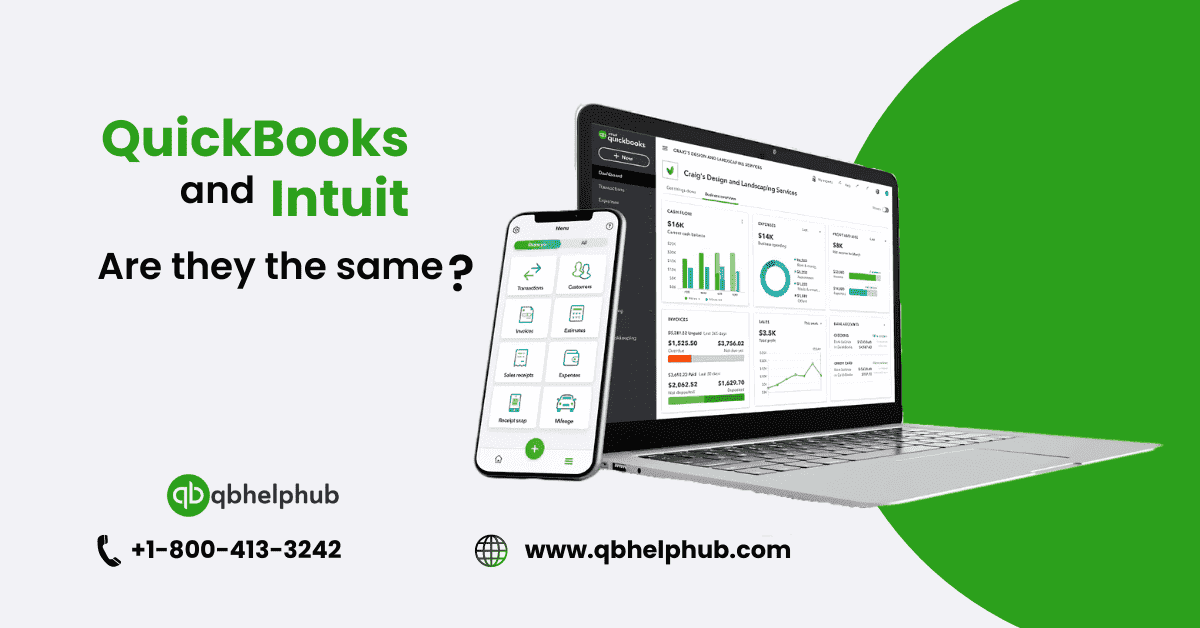
Is accounting hard? Most of us would answer that question in the affirmative. However, thanks to technological advances, financial management software can make it easy, even for those who are not accountants or bookkeepers. Selecting a financial software that fits all your needs and wants is a tough challenge. If you’ve ever thought about using accounting software, you must have heard about Intuit and QuickBooks. These two names often appear together, but are they the same? Let’s explore and understand in great detail.
Read also: How do I Login into an Intuit QuickBooks Account?
What is Intuit?
Scott Cook and Tom Proulx founded Intuit in 1983. With its headquarters in Mountain View, California, Inuit is known for its innovative financial management solutions. The motto of the company is to help individuals in managing their finances with ease. In order to excel in this vision, Intuit provides software and services that simplify financial tasks for everyone.
The History of Intuit
The company has been in business for the past 41 years and has contributed a lot of financial software to the world. One can understand the growth and impact of Inuit on the industry by looking at the company’s business journey so far. Intuit started with Quicken, a personal finance software. The roots of the company have only grown stronger since. It has an expansive product line, including various financial tools and services. The list includes some popular tools such as TurboTax for tax preparation, Mint for personal finance management, and QuickBooks for accounting.
What is QuickBooks?
QuickBooks, the brainchild of Intuit, is an accounting software program developed to help individuals with financial management. Initially released in 1992, it has grown to become one of the most popular accounting solutions programs for small and medium-sized businesses. The software offers various features to help businesses manage their finances, like invoicing, expense tracking, payroll, and reporting.
The Evolution of QuickBooks
QuickBooks has evolved quite a lot since its first release. The company has released numerous updates and improvements to amplify its efficiency and performance. At first, it was launched as desktop software. Now, you can even access it online with the help of cloud computing technology. QuickBooks also offers mobile apps, making it even more convenient to manage finances on the go.
How Intuit and QuickBooks are Connected
Intuit has developed and owns QuickBooks. Besides QuickBooks, Intuit also has other products to offer. The suite of products offered by Inuit includes TurboTax, Mint, and other well-known financial tools including QuickBooks.
The Different Products Offered by Intuit
The solutions offered by Intuit cater to a wide range of financial needs. Some of the popular products are:
- QuickBooks: accounting and bookkeeping
- TurboTax: tax preparation and filing
- Mint: personal finance management
- ProConnect: professional tax preparation
Every product meets the needs of a specific focus group with complex accounting needs.
Read also: 5 QuickBooks Bookkeeping Hacks for Busy Entrepreneurs
The Benefits of Using QuickBooks
QuickBooks offers a multitude of benefits. Some of the popular benefits are:
- User-Friendly Interface: to make users comfortable with using different features for managing accounts with ease
- Comprehensive Features: dedicated features to create invoices, track expenses, do payroll, generate reports and perform other core accounting operations
- Scalability: offers the option to start with the basic plan and upgrade features as you grow your business from medium to large enterprise
- Accessibility: manage your finances through mobile applications like QuickBooks online or QuickBooks Enterprise
- Integration: With Quickbooks, you can simply link up with various other platforms
Common Misconceptions About Intuit and QuickBooks
Let’s take a look at some of the common misconceptions about Intuit and QuickBooks:
- Intuit and QuickBooks are the same: Both are not the same yet belong to a common family. Intuit is the parent company and QuickBooks is one of its products.
- Only for professional accountants: Although accountants use QuickBooks, anyone looking to manage finances can leverage the software.
- Too Complex for Small Businesses: QuickBooks offers solutions suitable for businesses of all sizes. Even big organizations can automate their accounting process with its powerful features.
User suitability of QuickBooks
The services provided by QuickBooks are suitable and useful for a wide range of users, including:
- Small Businesses: easy to manage all aspects of finance of a small business
- Freelancers and Contractors: Helps them efficiently track income and expenses
- Professionals in Finance Management: powerful tools to aid accountants and bookkeepers for quick and easy financial management
- NGOs: special features perfect for NGOs to manage all their financial needs in one dashboard
QuickBooks Vs. Other financial management software
There are many accounting software available in the market, such as Xero, FreshBooks, and Wave. How does QuickBooks perform compared to other financial management software? Hence, let’s discuss some key traits of QuickBooks to make a detailed comparison against similar applications:
- QuickBooks has a super user-friendly interface.
- The features make accounting simple and accessible to novices.
- Flexible and customizable features.
- Reliable and 24/7 customer support.
- A huge network of user forums and a big library of resources.
- Comprehensive plans to meet the accounting needs of any type of business.
Real-world practical application of QuickBooks
QuickBooks has applications in several industries and scenarios, such as:
- Retail stores: sales, inventory, and customer information.
- Service-based business: Time tracking, expenses, project profitability
- E-commerce: Integration with an online store to manage orders and finances
- Healthcare: Billing, Payroll, financial reporting
Customer Support and Resources
We all know how important post-delivery services are. In this regard, Intuit offers 24/7 customer support and tons of other resources, such as:
- Help Centre: online resource featuring articles, guides, and tutorials
- Community Forums: a community of QuickBooks users to ask questions and share their experiences with others
- Customer Service: direct support through phone, chat, and email
- Training Programs: Webinars and training sessions to help users learn how to use QuickBooks better
How To Use QuickBooks
You don’t have to be an accounting professional to start using QuickBooks. Anyone can start with QuickBooks, it is pretty simple:
- Choose the right plan as per your business needs
- Set up your account
- Add your business information
- Personalize QuickBooks settings
- Start using the features to automate your financing
Using QuickBooks, you can track finances, send invoices, and do tons of other things.
Read also: How QuickBooks Payroll Saves You Time and Headaches
Conclusion
Users often get confused between Intuit and QuickBooks. However, they are interlinked but in a different way. Intuit is the parent company of QuickBooks. QuickBooks is one of the popular financial products released by Intuit to make accounting easier.

How can QuickBooks help with inventory management for my business?
QuickBooks can significantly enhance inventory management for your business through its comprehensive features. Here’s how:
Real-Time Inventory Tracking: QuickBooks allows you to track inventory levels in real-time. You can see what’s in stock, what’s on order, and what’s been sold, ensuring you have up-to-date information at all times.
Automated Reordering: QuickBooks can alert you when inventory levels are low, helping you reorder stock promptly. This automation prevents stockouts and ensures you always have sufficient inventory to meet customer demand.
Detailed Reporting: QuickBooks generates detailed inventory reports, providing insights into sales trends, inventory valuation, and stock movement. These reports help you make informed purchasing decisions and manage cash flow effectively.
Inventory Costing Methods: QuickBooks supports various inventory costing methods, such as FIFO (First In, First Out) and average cost, allowing you to choose the method that best suits your business needs.
Integration with Sales and Expenses: QuickBooks integrates inventory management with your sales and expense tracking, providing a holistic view of your business performance. This integration ensures that your financial statements accurately reflect inventory costs and sales revenue.
Barcode Scanning: For businesses with large inventories, QuickBooks offers barcode scanning capabilities, streamlining the process of tracking and updating inventory items.
By leveraging these features, QuickBooks helps you maintain optimal inventory levels, reduce carrying costs, and improve overall operational efficiency.
Great read! The blog clearly explains the relationship between QuickBooks and Intuit. It highlights how Intuit develops QuickBooks, offering various solutions for financial management. QB Help Hub, the service provider, is an excellent resource for troubleshooting and support. Highly recommend!
What are the key distinctions between QuickBooks and Intuit?
This is a very well-explained comparison of QuickBooks and Intuit. Many people get confused between the two, and your blog does a great job of clarifying everything in detail. Great work!
QB Help Hub provided a comprehensive explanation of the relationship between QuickBooks and Intuit. Their detailed insights clarified any confusion and helped us understand their connection better. Excellent educational support from QB Help Hub!
Hi there!
Thank you for your kind words! We’re so glad to hear that our explanation of the relationship between QuickBooks and Intuit helped clarify things for you. Providing clear and detailed insights is our goal, and it’s wonderful to know that you found our support educational. If you have any more questions or need further assistance, don’t hesitate to reach out!