
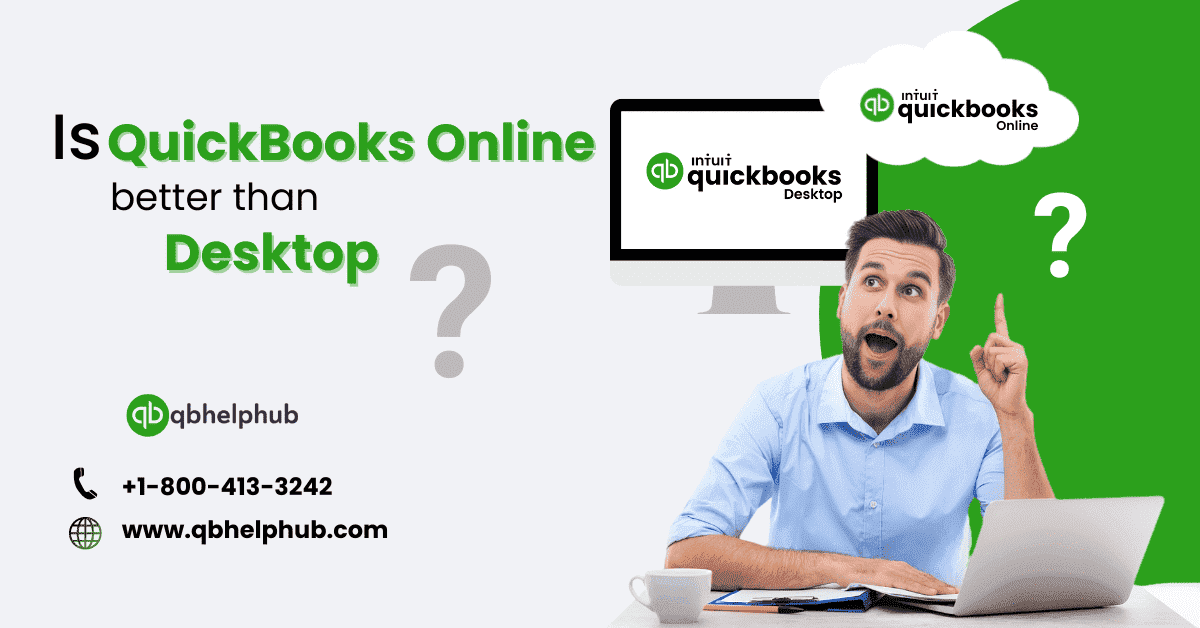
It is easy and quick to manage finances and accounting today due to the advancement in technology. Of all the leading software in this regard, QuickBooks stands as the winner. But there comes a big question: Which one is better, QuickBooks Online vs Desktop? This article describes all the features of QuickBooks Online and QuickBooks Desktop. Let’s explore!
Understanding QuickBooks Desktop
QuickBooks Desktop is the traditional, locally-installed version of QuickBooks. It has been in the market for quite a while. Over the years, it has progressively had more features added to try and meet complicated accounting needs. Installed on desktop computers, it gives them direct access to their financial data locally, without an internet connection.
Advantages of QuickBooks Desktop
- It has impressive and powerful features, like advanced reporting, tracking inventory, and calculating job costs. All of these tools make QuickBooks Desktop extremely apt for companies that have more complicated needs of accounting and bookkeeping.
- Performance: Because QuickBooks Desktop is downloaded directly to your computer. It does not have the little drag one sometimes finds in online apps when dealing with large volumes of data.
- Control over Security: QuickBooks Desktop allows more control over the security of your data. Since all the information is on your computer, it reduces the potential risk associated with data breaches.
Limitations of QuickBooks Desktop
- One major drawback is that you can access your data only from the computer on which QuickBooks is locally available. This really is not very flexible, particularly for businesses that have people working remotely.
- Automated Updates and Maintenance: You have to regularly update your software. Make backups to the best of your ability as well. Failure to do so may cause the system to experience bugs or even, worse still, a security threat.
- Cost: Initial outlay is cheaper. But update, support, and other value-added services continue for a long time and cost money.
Understanding QuickBooks Online
Well, QuickBooks Online is the cloud version of this very famous accounting software, QuickBooks. This application is extremely popular among modern businesses due to the freedom it provides to access the accounting data from any device connected to the internet.
Advantages of QuickBooks Desktop
- Accessibility and Flexibility: Probably one of the greatest benefits of QuickBooks Online is how easy you can access your financial data from anywhere. This really works out well for business people who are always on the move.
- Automatic Updates: Rest assured that QuickBooks Online is running with all of the latest features and security updates, since Intuit applies updates automatically.
- Collaboration: More than one user can work on the exact data all at the same time, so it is easy to collaborate with others in a team.
Read also: Should I get QuickBooks Desktop or Online?
Limitations of QuickBooks Desktop
- Internet Dependence: Because it’s cloud-based, you will be needing an internet connection of good speed to have QuickBooks Online. This could prove to be a limitation if you are using it in a poor area of connectivity.
- Performance Issues: QuickBooks Online can still be a bit slow with extremely large data sets compared to its brethren on the desktop.
- Subscription Costs: QuickBooks Online operates on a paying subscription basis. Therefore, compared to the variant desktop version, which is a one time buy, it can be more expensive in the long run.
Comparing Costs: QuickBooks Online vs Desktop
Some of the biggest differences between QuickBooks Desktop and QuickBooks Online are in the area of cost. Typically, QuickBooks Desktop will have a one-time upfront cost or an annual licensing fee, with additional fees for upgrade and support services. In essence, QuickBooks Online has monthly or annual subscription fees. While there is a significantly higher upfront cost associated with QuickBooks Desktop, the subscription fees for QuickBooks Online continue to add up over time.
Ease of use: QuickBooks Online vs Desktop
Of these, each of them has a different learning curve: QuickBooks Desktop and QuickBooks Online. While the interface for QuickBooks Desktop may come off as a bit complicated, it gives detailed functionality that most accounting professionals really appreciate. QuickBooks Online is designed to be much easier to use, with an extremely simple interface easily navigable by beginners.
Functionality and features
Out of the both, QuickBooks Desktop generally features more advanced capabilities for businesses with special needs, like complex inventory management or job costing. QuickBooks Online does accommodate most of the basic features that most small-to-medium-sized businesses require and is always moving on to new stuff.
Security: Which is safer?
Everyone frets over the security of their sensitive data. So the top priority of every financial management software should be the security and safeguarding of these important details. With QuickBooks Desktop, you can relax. It gives you that exact control over local data. So the risks of leakage are minimal compared to the ones that exist on online platforms. On the other hand it is also worthwhile to note that QuickBooks Online uses the best encryption and security methodologies in the entire market to safeguard your data in the cloud. No wonder why it is the top choice of numerous businesses and accountants. Intuit, the parent company of QuickBooks, has heavily invested in cybersecurity to guarantee the safety of their cloud services.
Integration with other software
Seamless integration is the cornerstone of all businesses that are financially efficient. The already tedious task of accounting becomes even more laborious when there is bad integration between your accounting software and other axillary softwares. But with QuickBooks Online you can relax. It has outperformed its contemporaries in this regard. It integrates with most third-party applications, from payment processors to CRM systems. Additionally, QuickBooks Desktop also supports integrations, although they are usually more limited and sometimes extra steps of setting up are required.
Customer support and resources
The excellent factor in both of the options is that both Desktop and Online versions provide amazing customer quickbooks support, including chat, phone, and online resources. However, users of QuickBooks Online might find it less exhausting and easier to reach out for assistance because of the more streamlined support system.
Scalability for growing businesses
When your business grows, so will your accounting needs. QuickBooks Online has the scalability to match changes in your business by including plans that can work for everything from a small startup to larger enterprises. QuickBooks Desktop is able to scale much the same way but may involve purchasing additional licenses and types of software.
Read also: How to download QuickBooks desktop: fast and easy steps
Conclusion
Which is better between QuickBooks Desktop and QuickBooks Online really depends on the needs of your business. If you require local storage of all your data with powerful functions and advanced features, then QuickBooks Desktop might be the perfect program for you. But if you need around the clock access to your data while you are on the go then QuickBooks Online may suit you better. In any case, you must consider your budget, the workflow of your team, and the long-term goals regarding your business while finalizing your choice.
Which version of QuickBooks is more cost-effective for a small business, Online or Desktop?
Choosing between QuickBooks Online and QuickBooks Desktop depends on your needs. QuickBooks Online offers flexibility with anywhere access, automatic updates, and lower upfront costs. It’s great for businesses needing remote access. QuickBooks Desktop has a higher upfront cost but may be more cost-effective long-term for complex accounting needs and multiple users. Evaluate your business requirements to decide. For more help, contact us at +1-800-413-3242.
For small businesses, QuickBooks Online is generally more cost-effective due to its lower upfront costs and subscription-based model, which includes automatic updates and cloud access. **QuickBooks Desktop** may have higher initial costs but offers robust features for complex accounting. Your choice depends on your needs and budget. For personalized advice, call us at 📞 +1-800-413-3242.
For a small business, QuickBooks Online is often more cost-effective than QuickBooks Desktop due to its subscription-based model, which includes automatic updates and cloud access. **QuickBooks Desktop** requires a one-time purchase or annual subscription, and additional costs for updates may apply. For personalized advice, contact us at +1-800-413-3242.
Your comparison of QuickBooks Online and Desktop is very insightful! Many users struggle to choose between the two, and your article makes the decision much clearer. Well-researched and well-explained!
QB Help Hub provided a thorough analysis of QuickBooks Online versus Desktop. Their insights helped us weigh the pros and cons of each version, ensuring we chose the best solution for our needs.
Hi Charlotte!
Thank you for sharing your experience! We’re thrilled to hear that our analysis of QuickBooks Online versus Desktop helped you weigh the pros and cons effectively. Choosing the right solution is so important, and we’re glad we could assist you in making that decision. If you have any further questions or need more insights, don’t hesitate to reach out!