
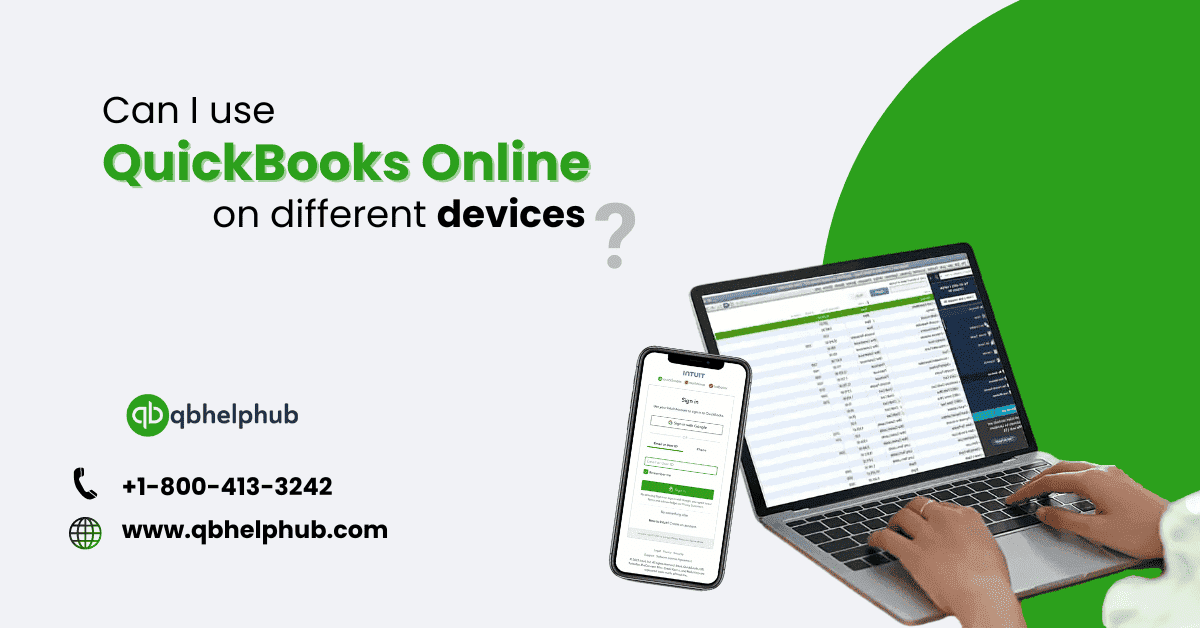
Absolutely yes, but do you know how to take the full advantage of this feature? The cross-device compatibility feature is a boon for remote businesses and their team. But you must know what other cool features make the package really worth your penny. From advanced security patches to smooth user experience, this article is going to cover them all for your quick reference of Quickbooks Online access. Let’s get started.
Read also: Is QuickBooks Online better than a Desktop?
What is QuickBooks Online?
QuickBooks Online is a fantastic financial management software designed to help businesses manage their finances in a very user-friendly way. It has a multitude of tools, some of which include creation of invoices, tracking of expenses, payroll management, and financial reporting. The differentiating factor of QuickBooks Online is that it is supported by cloud whereas most of the traditional modes of accounting software use local storage of the device. You just need an active and good internet connection to access your QuickBooks Online account.
Why use QuickBooks Online?
There is a multitude of reasons why numerous businesses like QuickBooks Online so much, here are some of them:
- You can access your data from anywhere at any time.
- Multiple people can access the same account from different places at the same time making collaboration a cake walk.
- Automatic updates ensure that you have the latest features in your cadre.
- The program supports integration with a number of other applications for ease of use.
Device Compatibility
It is pertinent to note the fact that QuickBooks Online is compatible with a huge variety of devices. You need not worry about compatibility while using QuickBooks Online. Whether you work on a desktop computer, laptop, tablet, or smartphone, all of them are supported by QuickBooks Online.
Accessing QuickBooks Online via Desktop
Using QuickBooks Online on the desktop has never been easier. You simply just need access to a web browser, from there you can log into the QuickBooks Online account. Upon doing so, your account will be displayed along with all your financial data.
Using QuickBooks Online on laptops
Laptops make it easier to gain access to your account from anywhere. Along with easy access, QuickBooks Online runs very well on laptops, whether on a Windows or macOS system, and comes with a host of features.
Tablets and QuickBooks Online
QuickBooks interface is compatible with touchscreen devices and hence tablets are very good for mobile access to QuickBooks Online. Tablets become extremely useful when you just want to run a quick check or make updates and you’re away from your desk or your laptop.
QuickBooks Online on smartphones
You can make your work ultra-portable by running QuickBooks Online on your smartphone. Intuit has a dedicated app available on App Store for iOS devices and Play Store for Android. These apps will give you access to your account from anywhere, making it perfect for small business owners who need to manage their finances on the move.
Syncing data across devices
Another added advantage of QuickBooks Online is that all of your data synchronizes across all of your devices in real time. Any change made within one will be present in others as well. This real-time synchronization will ensure that you are always getting the most recent details, no matter where you are.
Security features for multi device use
Intuit deals with security rather seriously, more so where access to your sensitive financial information is on the line. There needs to be added security since this program offers multi-device access as well. Some of the finest security features included are:
- Encryption protects your data as it moves from your device to Intuit’s servers.
- QuickBooks has two-factor authentication which adds extra security to your account.
- With regular security updates you can rest assured that your data is safe from any new threats.
Optimizing QuickBooks Online performance
You must match the specs of your device with the recommended system requirements to get the best performance of QuickBooks Online. Also, update your web browser regularly and the QuickBooks Online app to ensure this rich user experience.
Common issues and troubleshooting
Although QuickBooks Online rarely fails, it is only natural to come across some hiccups every now and then. Among the most common issues are login problems, slow speed, and syncing issues. Intuit has provided a great Quickbooks support system with a powerful help center and community forums to help you troubleshoot your problems.
User experience and interface
QuickBooks Online has a friendly interface that makes navigation quite easy. From seasoned accountants to small business owners who have little experience in accounting, it’s pretty simple and easy to move around on the platform. It has clean layouts and clear menus, leading to ease in finding whatever you want.
Additional features for mobile users
QuickBooks Online mobile app comes with features specially designed for on-the-go use. You can snap a picture with your phone or tablet and then take that image of a receipt directly into your account. It makes expense tracking very easy, with push notifications so you will not miss anything important.
Read also: How to Login to QuickBooks Online?
Conclusion
Intuit QuickBooks Online is a powerful all-round tool for handling business finance. Its best feature being the access across different devices, which gives flexibility to work from anywhere at any time. It is an all encompassing program full of strong security features, user-friendly interface, making it apt for businesses today.
QB Help Hub confirmed that QuickBooks Online is accessible from multiple devices. Their support made it easy to understand how to manage our QuickBooks data across different platforms.
Absolutely! QuickBooks Online is perfect for multi-device use. I’ve accessed it seamlessly on my laptop, tablet, and smartphone. QB Help Hub made the setup effortless and provided top-notch support whenever I had questions. Highly recommend both QuickBooks Online and QB Help Hub’s services!
The ability to use QuickBooks Online on different devices is a huge advantage, and your article does a great job of highlighting its benefits. Your explanation is simple, clear, and very useful!